mirror of
https://github.com/qmk/qmk_firmware.git
synced 2025-09-10 17:15:43 +00:00
Compare commits
10 Commits
| Author | SHA1 | Date | |
|---|---|---|---|

|
dfb78d2a08 | ||

|
ed0575fc8a | ||
|
|
7c0edbe800 | ||
|
|
fc51a4a107 | ||

|
8b832c494c | ||

|
dcb2d63302 | ||

|
dc1137129d | ||
|
|
1244d0e266 | ||

|
542cb0a8ce | ||

|
0e664f92c4 |
8
Makefile
8
Makefile
@@ -558,10 +558,10 @@ endef
|
||||
if ! python3 --version 1> /dev/null 2>&1; then printf "$(MSG_PYTHON_MISSING)"; fi
|
||||
# Check if the submodules are dirty, and display a warning if they are
|
||||
ifndef SKIP_GIT
|
||||
if [ ! -e lib/chibios ]; then git submodule sync lib/chibios && git submodule update --depth 1 --init lib/chibios; fi
|
||||
if [ ! -e lib/chibios-contrib ]; then git submodule sync lib/chibios-contrib && git submodule update --depth 1 --init lib/chibios-contrib; fi
|
||||
if [ ! -e lib/ugfx ]; then git submodule sync lib/ugfx && git submodule update --depth 1 --init lib/ugfx; fi
|
||||
if [ ! -e lib/lufa ]; then git submodule sync lib/lufa && git submodule update --depth 1 --init lib/lufa; fi
|
||||
if [ ! -e lib/chibios ]; then git submodule sync lib/chibios && git submodule update --depth 50 --init lib/chibios; fi
|
||||
if [ ! -e lib/chibios-contrib ]; then git submodule sync lib/chibios-contrib && git submodule update --depth 50 --init lib/chibios-contrib; fi
|
||||
if [ ! -e lib/ugfx ]; then git submodule sync lib/ugfx && git submodule update --depth 50 --init lib/ugfx; fi
|
||||
if [ ! -e lib/lufa ]; then git submodule sync lib/lufa && git submodule update --depth 50 --init lib/lufa; fi
|
||||
git submodule status --recursive 2>/dev/null | \
|
||||
while IFS= read -r x; do \
|
||||
case "$$x" in \
|
||||
|
||||
@@ -407,8 +407,12 @@ ifeq ($(strip $(SPACE_CADET_ENABLE)), yes)
|
||||
OPT_DEFS += -DSPACE_CADET_ENABLE
|
||||
endif
|
||||
|
||||
|
||||
ifeq ($(strip $(DIP_SWITCH_ENABLE)), yes)
|
||||
SRC += $(QUANTUM_DIR)/dip_switch.c
|
||||
OPT_DEFS += -DDIP_SWITCH_ENABLE
|
||||
endif
|
||||
|
||||
ifeq ($(strip $(DYNAMIC_MACRO_ENABLE)), yes)
|
||||
SRC += $(QUANTUM_DIR)/process_keycode/process_dynamic_macro.c
|
||||
OPT_DEFS += -DDYNAMIC_MACRO_ENABLE
|
||||
endif
|
||||
|
||||
@@ -90,68 +90,110 @@ keyrecord_t record {
|
||||
|
||||
# LED Control
|
||||
|
||||
QMK provides methods to read the 5 LEDs defined as part of the HID spec:
|
||||
QMK provides methods to read 5 of the LEDs defined in the HID spec:
|
||||
|
||||
* `USB_LED_NUM_LOCK`
|
||||
* `USB_LED_CAPS_LOCK`
|
||||
* `USB_LED_SCROLL_LOCK`
|
||||
* `USB_LED_COMPOSE`
|
||||
* `USB_LED_KANA`
|
||||
* Num Lock
|
||||
* Caps Lock
|
||||
* Scroll Lock
|
||||
* Compose
|
||||
* Kana
|
||||
|
||||
These five constants correspond to the positional bits of the host LED state.
|
||||
There are two ways to get the host LED state:
|
||||
There are two ways to get the lock LED state:
|
||||
|
||||
* by implementing `led_set_user()`
|
||||
* by calling `host_keyboard_leds()`
|
||||
* by implementing `bool led_update_kb(led_t led_state)` or `_user(led_t led_state)`; or
|
||||
* by calling `led_t host_keyboard_led_state()`
|
||||
|
||||
## `led_set_user()`
|
||||
!> `host_keyboard_led_state()` may already reflect a new value before `led_update_user()` is called.
|
||||
|
||||
This function will be called when the state of one of those 5 LEDs changes. It receives the LED state as a parameter.
|
||||
Use the `IS_LED_ON(usb_led, led_name)` and `IS_LED_OFF(usb_led, led_name)` macros to check the LED status.
|
||||
Two more deprecated functions exist that provide the LED state as a `uint8_t`:
|
||||
|
||||
!> `host_keyboard_leds()` may already reflect a new value before `led_set_user()` is called.
|
||||
* `uint8_t led_set_kb(uint8_t usb_led)` and `_user(uint8_t usb_led)`
|
||||
* `uint8_t host_keyboard_leds()`
|
||||
|
||||
### Example `led_set_user()` Implementation
|
||||
## `led_update_user()`
|
||||
|
||||
This function will be called when the state of one of those 5 LEDs changes. It receives the LED state as a struct parameter.
|
||||
|
||||
You must return either `true` or `false` from this function, depending on whether you want to override the keyboard-level implementation.
|
||||
|
||||
?> Because the `led_set_*` functions return `void` instead of `bool`, they do not allow for overriding the keyboard LED control, and thus it's recommended to use `led_update_*` instead.
|
||||
|
||||
### Example `led_update_kb()` Implementation
|
||||
|
||||
```c
|
||||
void led_set_user(uint8_t usb_led) {
|
||||
if (IS_LED_ON(usb_led, USB_LED_NUM_LOCK)) {
|
||||
writePinLow(B0);
|
||||
} else {
|
||||
writePinHigh(B0);
|
||||
}
|
||||
if (IS_LED_ON(usb_led, USB_LED_CAPS_LOCK)) {
|
||||
writePinLow(B1);
|
||||
} else {
|
||||
writePinHigh(B1);
|
||||
}
|
||||
if (IS_LED_ON(usb_led, USB_LED_SCROLL_LOCK)) {
|
||||
writePinLow(B2);
|
||||
} else {
|
||||
writePinHigh(B2);
|
||||
}
|
||||
if (IS_LED_ON(usb_led, USB_LED_COMPOSE)) {
|
||||
writePinLow(B3);
|
||||
} else {
|
||||
writePinHigh(B3);
|
||||
}
|
||||
if (IS_LED_ON(usb_led, USB_LED_KANA)) {
|
||||
writePinLow(B4);
|
||||
} else {
|
||||
writePinHigh(B4);
|
||||
bool led_update_kb(led_t led_state) {
|
||||
if(led_update_user(led_state)) {
|
||||
if (led_state.num_lock) {
|
||||
writePinLow(B0);
|
||||
} else {
|
||||
writePinHigh(B0);
|
||||
}
|
||||
if (led_state.caps_lock) {
|
||||
writePinLow(B1);
|
||||
} else {
|
||||
writePinHigh(B1);
|
||||
}
|
||||
if (led_state.scroll_lock) {
|
||||
writePinLow(B2);
|
||||
} else {
|
||||
writePinHigh(B2);
|
||||
}
|
||||
if (led_state.compose) {
|
||||
writePinLow(B3);
|
||||
} else {
|
||||
writePinHigh(B3);
|
||||
}
|
||||
if (led_state.kana) {
|
||||
writePinLow(B4);
|
||||
} else {
|
||||
writePinHigh(B4);
|
||||
}
|
||||
return true;
|
||||
}
|
||||
}
|
||||
```
|
||||
|
||||
### `led_set_*` Function Documentation
|
||||
### Example `led_update_user()` Implementation
|
||||
|
||||
* Keyboard/Revision: `void led_set_kb(uint8_t usb_led)`
|
||||
* Keymap: `void led_set_user(uint8_t usb_led)`
|
||||
```c
|
||||
bool led_update_user(led_t led_state) {
|
||||
if (led_state.num_lock) {
|
||||
writePinLow(B0);
|
||||
} else {
|
||||
writePinHigh(B0);
|
||||
}
|
||||
if (led_state.caps_lock) {
|
||||
writePinLow(B1);
|
||||
} else {
|
||||
writePinHigh(B1);
|
||||
}
|
||||
if (led_state.scroll_lock) {
|
||||
writePinLow(B2);
|
||||
} else {
|
||||
writePinHigh(B2);
|
||||
}
|
||||
if (led_state.compose) {
|
||||
writePinLow(B3);
|
||||
} else {
|
||||
writePinHigh(B3);
|
||||
}
|
||||
if (led_state.kana) {
|
||||
writePinLow(B4);
|
||||
} else {
|
||||
writePinHigh(B4);
|
||||
}
|
||||
return true;
|
||||
}
|
||||
```
|
||||
|
||||
## `host_keyboard_leds()`
|
||||
### `led_update_*` Function Documentation
|
||||
|
||||
Call this function to get the last received LED state. This is useful for reading the LED state outside `led_set_*`, e.g. in [`matrix_scan_user()`](#matrix-scanning-code).
|
||||
For convenience, you can use the `IS_HOST_LED_ON(led_name)` and `IS_HOST_LED_OFF(led_name)` macros instead of calling and checking `host_keyboard_leds()` directly.
|
||||
* Keyboard/Revision: `bool led_update_kb(led_t led_state)`
|
||||
* Keymap: `bool led_update_user(led_t led_state)`
|
||||
|
||||
## `host_keyboard_led_state()`
|
||||
|
||||
Call this function to get the last received LED state as a `led_t`. This is useful for reading the LED state outside `led_update_*`, e.g. in [`matrix_scan_user()`](#matrix-scanning-code).
|
||||
|
||||
## Setting Physical LED State
|
||||
|
||||
|
||||
@@ -4,51 +4,45 @@ QMK supports temporary macros created on the fly. We call these Dynamic Macros.
|
||||
|
||||
You can store one or two macros and they may have a combined total of 128 keypresses. You can increase this size at the cost of RAM.
|
||||
|
||||
To enable them, first add a new element to the end of your `keycodes` enum — `DYNAMIC_MACRO_RANGE`:
|
||||
To enable them, first include `DYNAMIC_MACRO_ENABLE = yes` in your `rules.mk`. Then, add the following keys to your keymap:
|
||||
|
||||
```c
|
||||
enum keycodes {
|
||||
QWERTY = SAFE_RANGE,
|
||||
COLEMAK,
|
||||
DVORAK,
|
||||
PLOVER,
|
||||
LOWER,
|
||||
RAISE,
|
||||
BACKLIT,
|
||||
EXT_PLV,
|
||||
DYNAMIC_MACRO_RANGE,
|
||||
};
|
||||
```
|
||||
|Key |Alias |Description |
|
||||
|------------------|----------|---------------------------------------------------|
|
||||
|`DYN_REC_START1` |`DM_REC1` |Start recording Macro 1 |
|
||||
|`DYN_REC_START2` |`DM_REC2` |Start recording Macro 2 |
|
||||
|`DYN_MACRO_PLAY1` |`DM_PLY1` |Replay Macro 1 |
|
||||
|`DYN_MACRO_PLAY2` |`DM_PLY2` |Replay Macro 2 |
|
||||
|`DYN_REC_STOP` |`DM_RSTP` |Finish the macro that is currently being recorded. |
|
||||
|
||||
Your `keycodes` enum may have a slightly different name. You must add `DYNAMIC_MACRO_RANGE` as the last element because `dynamic_macros.h` will add some more keycodes after it.
|
||||
That should be everything necessary.
|
||||
|
||||
Below it, include the `dynamic_macro.h` header:
|
||||
To start recording the macro, press either `DYN_REC_START1` or `DYN_REC_START2`.
|
||||
|
||||
```c
|
||||
#include "dynamic_macro.h"`
|
||||
```
|
||||
To finish the recording, press the `DYN_REC_STOP` layer button.
|
||||
|
||||
Add the following keys to your keymap:
|
||||
To replay the macro, press either `DYN_MACRO_PLAY1` or `DYN_MACRO_PLAY2`.
|
||||
|
||||
* `DYN_REC_START1` — start recording the macro 1,
|
||||
* `DYN_REC_START2` — start recording the macro 2,
|
||||
* `DYN_MACRO_PLAY1` — replay the macro 1,
|
||||
* `DYN_MACRO_PLAY2` — replay the macro 2,
|
||||
* `DYN_REC_STOP` — finish the macro that is currently being recorded.
|
||||
It is possible to replay a macro as part of a macro. It's ok to replay macro 2 while recording macro 1 and vice versa but never create recursive macros i.e. macro 1 that replays macro 1. If you do so and the keyboard will get unresponsive, unplug the keyboard and plug it again. You can disable this completly by defining `DYNAMIC_MACRO_NO_NESTING` in your `config.h` file.
|
||||
|
||||
Add the following code to the very beginning of your `process_record_user()` function:
|
||||
?> For the details about the internals of the dynamic macros, please read the comments in the `process_dynamic_macro.h` and `process_dynamic_macro.c` files.
|
||||
|
||||
```c
|
||||
if (!process_record_dynamic_macro(keycode, record)) {
|
||||
return false;
|
||||
}
|
||||
```
|
||||
## Customization
|
||||
|
||||
That should be everything necessary. To start recording the macro, press either `DYN_REC_START1` or `DYN_REC_START2`. To finish the recording, press the `DYN_REC_STOP` layer button. To replay the macro, press either `DYN_MACRO_PLAY1` or `DYN_MACRO_PLAY2`.
|
||||
There are a number of options added that should allow some additional degree of customization
|
||||
|
||||
Note that it's possible to replay a macro as part of a macro. It's ok to replay macro 2 while recording macro 1 and vice versa but never create recursive macros i.e. macro 1 that replays macro 1. If you do so and the keyboard will get unresponsive, unplug the keyboard and plug it again.
|
||||
|Define |Default |Description |
|
||||
|----------------------------|----------------|-----------------------------------------------------------------------------------------------------------------|
|
||||
|`DYNAMIC_MACRO_SIZE` |128 |Sets the amount of memory that Dynamic Macros can use. This is a limited resource, dependent on the controller. |
|
||||
|`DYNAMIC_MACRO_USER_CALL` |*Not defined* |Defining this falls back to using the user `keymap.c` file to trigger the macro behavior. |
|
||||
|`DYNAMIC_MACRO_NO_NESTING` |*Not Defined* |Defining this disables the ability to call a macro from another macro (nested macros). |
|
||||
|
||||
For users of the earlier versions of dynamic macros: It is still possible to finish the macro recording using just the layer modifier used to access the dynamic macro keys, without a dedicated `DYN_REC_STOP` key. If you want this behavior back, use the following snippet instead of the one above:
|
||||
|
||||
If the LEDs start blinking during the recording with each keypress, it means there is no more space for the macro in the macro buffer. To fit the macro in, either make the other macro shorter (they share the same buffer) or increase the buffer size by adding the `DYNAMIC_MACRO_SIZE` define in your `config.h` (default value: 128; please read the comments for it in the header).
|
||||
|
||||
|
||||
### DYNAMIC_MACRO_USER_CALL
|
||||
|
||||
For users of the earlier versions of dynamic macros: It is still possible to finish the macro recording using just the layer modifier used to access the dynamic macro keys, without a dedicated `DYN_REC_STOP` key. If you want this behavior back, add `#define DYNAMIC_MACRO_USER_CALL` to your `config.h` and insert the following snippet at the beginning of your `process_record_user()` function:
|
||||
|
||||
```c
|
||||
uint16_t macro_kc = (keycode == MO(_DYN) ? DYN_REC_STOP : keycode);
|
||||
@@ -58,6 +52,15 @@ For users of the earlier versions of dynamic macros: It is still possible to fin
|
||||
}
|
||||
```
|
||||
|
||||
If the LEDs start blinking during the recording with each keypress, it means there is no more space for the macro in the macro buffer. To fit the macro in, either make the other macro shorter (they share the same buffer) or increase the buffer size by setting the `DYNAMIC_MACRO_SIZE` preprocessor macro (default value: 128; please read the comments for it in the header).
|
||||
### User Hooks
|
||||
|
||||
For the details about the internals of the dynamic macros, please read the comments in the `dynamic_macro.h` header.
|
||||
There are a number of hooks that you can use to add custom functionality and feedback options to Dynamic Macro feature. This allows for some additional degree of customization.
|
||||
|
||||
Note, that direction indicates which macro it is, with `1` being Macro 1, `-1` being Macro 2, and 0 being no macro.
|
||||
|
||||
* `dynamic_macro_record_start_user(void)` - Triggered when you start recording a macro.
|
||||
* `dynamic_macro_play_user(int8_t direction)` - Triggered when you play back a macro.
|
||||
* `dynamic_macro_record_key_user(int8_t direction, keyrecord_t *record)` - Triggered on each keypress while recording a macro.
|
||||
* `dynamic_macro_record_end_user(int8_t direction)` - Triggered when the macro recording is stopped.
|
||||
|
||||
Additionally, you can call `dynamic_macro_led_blink()` to flash the backlights if that feature is enabled.
|
||||
|
||||
@@ -297,6 +297,16 @@ This is a reference only. Each group of keys links to the page documenting their
|
||||
|`OUT_USB` |USB only |
|
||||
|`OUT_BT` |Bluetooth only |
|
||||
|
||||
## [Dynamic Macros](feature_dynamic_macros.md)
|
||||
|
||||
|Key |Alias |Description |
|
||||
|-----------------|---------|--------------------------------------------------|
|
||||
|`DYN_REC_START1` |`DM_REC1`|Start recording Macro 1 |
|
||||
|`DYN_REC_START2` |`DM_REC2`|Start recording Macro 2 |
|
||||
|`DYN_MACRO_PLAY1`|`DM_PLY1`|Replay Macro 1 |
|
||||
|`DYN_MACRO_PLAY2`|`DM_PLY2`|Replay Macro 2 |
|
||||
|`DYN_REC_STOP` |`DM_RSTP`|Finish the macro that is currently being recorded.|
|
||||
|
||||
## [Layer Switching](feature_advanced_keycodes.md#switching-and-toggling-layers)
|
||||
|
||||
|Key |Description |
|
||||
|
||||
@@ -1,9 +1,9 @@
|
||||
/* Copyright 2018 Jack Humbert
|
||||
* Copyright 2018 Yiancar
|
||||
*
|
||||
* This program is free sofare: you can redistribute it and/or modify
|
||||
* This program is free software: you can redistribute it and/or modify
|
||||
* it under the terms of the GNU General Public License as published by
|
||||
* the Free Sofare Foundation, either version 2 of the License, or
|
||||
* the Free Software Foundation, either version 2 of the License, or
|
||||
* (at your option) any later version.
|
||||
*
|
||||
* This program is distributed in the hope that it will be useful,
|
||||
|
||||
@@ -1,9 +1,3 @@
|
||||
RGB_MATRIX_SPLIT_RIGHT = no # if no, order LEDs for left hand, if yes, order LEDs for right hand
|
||||
|
||||
ifeq ($(strip $(RGB_MATRIX_SPLIT_RIGHT)), yes)
|
||||
OPT_DEFS += -DRGB_MATRIX_SPLIT_RIGHT
|
||||
endif
|
||||
|
||||
SRC += matrix.c \
|
||||
split_util.c \
|
||||
split_scomm.c
|
||||
|
||||
0
keyboards/ergodox_ez/util/compile_keymap.py
Normal file → Executable file
0
keyboards/ergodox_ez/util/compile_keymap.py
Normal file → Executable file
8
keyboards/ergodox_ez/util/keymap_beautifier/Dockerfile
Normal file
8
keyboards/ergodox_ez/util/keymap_beautifier/Dockerfile
Normal file
@@ -0,0 +1,8 @@
|
||||
FROM python:3.7.4-alpine3.10
|
||||
|
||||
WORKDIR /usr/src/app
|
||||
COPY requirements.txt ./
|
||||
RUN pip install --no-cache-dir -r requirements.txt
|
||||
COPY ./KeymapBeautifier.py ./KeymapBeautifier.py
|
||||
|
||||
CMD [ "python", "./KeymapBeautifier.py", "-h" ]
|
||||
399
keyboards/ergodox_ez/util/keymap_beautifier/KeymapBeautifier.py
Executable file
399
keyboards/ergodox_ez/util/keymap_beautifier/KeymapBeautifier.py
Executable file
@@ -0,0 +1,399 @@
|
||||
#!/usr/bin/env python
|
||||
|
||||
import argparse
|
||||
import pycparser
|
||||
import re
|
||||
|
||||
class KeymapBeautifier:
|
||||
justify_toward_center = False
|
||||
filename_in = None
|
||||
filename_out = None
|
||||
output_layout = None
|
||||
output = None
|
||||
|
||||
column_max_widths = {}
|
||||
|
||||
KEY_ALIASES = {
|
||||
"KC_TRANSPARENT": "_______",
|
||||
"KC_TRNS": "_______",
|
||||
"KC_NO": "XXXXXXX",
|
||||
}
|
||||
KEYMAP_START = 'const uint16_t PROGMEM keymaps[][MATRIX_ROWS][MATRIX_COLS] = {\n'
|
||||
KEYMAP_END = '};\n'
|
||||
KEYMAP_START_REPLACEMENT = "const int keymaps[]={\n"
|
||||
KEY_CHART = """
|
||||
/*
|
||||
* ,--------------------------------------------------. ,--------------------------------------------------.
|
||||
* | 0 | 1 | 2 | 3 | 4 | 5 | 6 | | 38 | 39 | 40 | 41 | 42 | 43 | 44 |
|
||||
* |--------+------+------+------+------+------+------| |------+------+------+------+------+------+--------|
|
||||
* | 7 | 8 | 9 | 10 | 11 | 12 | 13 | | 45 | 46 | 47 | 48 | 49 | 50 | 51 |
|
||||
* |--------+------+------+------+------+------| | | |------+------+------+------+------+--------|
|
||||
* | 14 | 15 | 16 | 17 | 18 | 19 |------| |------| 52 | 53 | 54 | 55 | 56 | 57 |
|
||||
* |--------+------+------+------+------+------| 26 | | 58 |------+------+------+------+------+--------|
|
||||
* | 20 | 21 | 22 | 23 | 24 | 25 | | | | 59 | 60 | 61 | 62 | 63 | 64 |
|
||||
* `--------+------+------+------+------+-------------' `-------------+------+------+------+------+--------'
|
||||
* | 27 | 28 | 29 | 30 | 31 | | 65 | 66 | 67 | 68 | 69 |
|
||||
* `----------------------------------' `----------------------------------'
|
||||
* ,-------------. ,-------------.
|
||||
* | 32 | 33 | | 70 | 71 |
|
||||
* ,------+------+------| |------+------+------.
|
||||
* | | | 34 | | 72 | | |
|
||||
* | 35 | 36 |------| |------| 74 | 75 |
|
||||
* | | | 37 | | 73 | | |
|
||||
* `--------------------' `--------------------'
|
||||
*/
|
||||
"""
|
||||
KEY_COORDINATES = {
|
||||
'LAYOUT_ergodox': [
|
||||
# left hand
|
||||
(0,0), (0,1), (0,2), (0,3), (0,4), (0,5), (0,6),
|
||||
(1,0), (1,1), (1,2), (1,3), (1,4), (1,5), (1,6),
|
||||
(2,0), (2,1), (2,2), (2,3), (2,4), (2,5),
|
||||
(3,0), (3,1), (3,2), (3,3), (3,4), (3,5), (3,6),
|
||||
(4,0), (4,1), (4,2), (4,3), (4,4),
|
||||
# left thumb
|
||||
(5,5), (5,6),
|
||||
(6,6),
|
||||
(7,4), (7,5), (7,6),
|
||||
# right hand
|
||||
(8,0), (8,1), (8,2), (8,3), (8,4), (8,5), (8,6),
|
||||
(9,0), (9,1), (9,2), (9,3), (9,4), (9,5), (9,6),
|
||||
(10,1), (10,2), (10,3), (10,4), (10,5), (10,6),
|
||||
(11,0), (11,1), (11,2), (11,3), (11,4), (11,5), (11,6),
|
||||
(12,2), (12,3), (12,4), (12,5), (12,6),
|
||||
# right thumb
|
||||
(13,0), (13,1),
|
||||
(14,0),
|
||||
(15,0), (15,1), (15,2)
|
||||
],
|
||||
'LAYOUT_ergodox_pretty': [
|
||||
# left hand and right hand
|
||||
(0,0), (0,1), (0,2), (0,3), (0,4), (0,5), (0,6), (0,7), (0,8), (0,9), (0,10), (0,11), (0,12), (0,13),
|
||||
(1,0), (1,1), (1,2), (1,3), (1,4), (1,5), (1,6), (1,7), (1,8), (1,9), (1,10), (1,11), (1,12), (1,13),
|
||||
(2,0), (2,1), (2,2), (2,3), (2,4), (2,5), (2,8), (2,9), (2,10), (2,11), (2,12), (2,13),
|
||||
(3,0), (3,1), (3,2), (3,3), (3,4), (3,5), (3,6), (3,7), (3,8), (3,9), (3,10), (3,11), (3,12), (3,13),
|
||||
(4,0), (4,1), (4,2), (4,3), (4,4), (4,9), (4,10), (4,11), (4,12), (4,13),
|
||||
|
||||
# left thumb and right thumb
|
||||
(5,5), (5,6), (5,7), (5,8),
|
||||
(6,6), (6,7),
|
||||
(7,4), (7,5), (7,6), (7,7), (7,8), (7,9)
|
||||
],
|
||||
}
|
||||
current_converted_KEY_COORDINATES = []
|
||||
|
||||
# each column is aligned within each group (tuples of row indexes are inclusive)
|
||||
KEY_ROW_GROUPS = {
|
||||
'LAYOUT_ergodox': [(0,4),(5,7),(8,12),(13,15)],
|
||||
'LAYOUT_ergodox_pretty': [(0,7)],
|
||||
#'LAYOUT_ergodox_pretty': [(0,5),(6,7)],
|
||||
#'LAYOUT_ergodox_pretty': [(0,3),(4,4),(5,7)],
|
||||
#'LAYOUT_ergodox_pretty': [(0,4),(5,7)],
|
||||
}
|
||||
|
||||
|
||||
INDEX_CONVERSTION_LAYOUT_ergodox_pretty_to_LAYOUT_ergodox = [
|
||||
0, 1, 2, 3, 4, 5, 6, 38,39,40,41,42,43,44,
|
||||
7, 8, 9,10,11,12,13, 45,46,47,48,49,50,51,
|
||||
14,15,16,17,18,19, 52,53,54,55,56,57,
|
||||
20,21,22,23,24,25,26, 58,59,60,61,62,63,64,
|
||||
27,28,29,30,31, 65,66,67,68,69,
|
||||
32,33, 70,71,
|
||||
34, 72,
|
||||
35,36,37, 73,74,75,
|
||||
]
|
||||
|
||||
|
||||
def index_conversion_map_reversed(self, conversion_map):
|
||||
return [conversion_map.index(i) for i in range(len(conversion_map))]
|
||||
|
||||
|
||||
def __init__(self, source_code = "", output_layout="LAYOUT_ergodox", justify_toward_center = False):
|
||||
self.output_layout = output_layout
|
||||
self.justify_toward_center = justify_toward_center
|
||||
# determine the conversion map
|
||||
#if input_layout == self.output_layout:
|
||||
# conversion_map = [i for i in range(len(self.INDEX_CONVERSTION_LAYOUT_ergodox_pretty_to_LAYOUT_ergodox))]
|
||||
#conversion_map = self.INDEX_CONVERSTION_LAYOUT_ergodox_pretty_to_LAYOUT_ergodox
|
||||
if self.output_layout == "LAYOUT_ergodox_pretty":
|
||||
index_conversion_map = self.index_conversion_map_reversed(self.INDEX_CONVERSTION_LAYOUT_ergodox_pretty_to_LAYOUT_ergodox)
|
||||
else:
|
||||
index_conversion_map = list(range(len(self.INDEX_CONVERSTION_LAYOUT_ergodox_pretty_to_LAYOUT_ergodox)))
|
||||
self.current_converted_KEY_COORDINATES = [
|
||||
self.KEY_COORDINATES[self.output_layout][index_conversion_map[i]]
|
||||
for i in range(len(self.KEY_COORDINATES[self.output_layout]))
|
||||
]
|
||||
|
||||
self.output = self.beautify_source_code(source_code)
|
||||
|
||||
def beautify_source_code(self, source_code):
|
||||
# to keep it simple for the parser, we only use the parser to parse the key definition part
|
||||
src = {
|
||||
"before": [],
|
||||
"keys": [],
|
||||
"after": [],
|
||||
}
|
||||
|
||||
current_section = "before"
|
||||
for line in source_code.splitlines(True):
|
||||
if current_section == 'before' and line == self.KEYMAP_START:
|
||||
src[current_section].append("\n")
|
||||
current_section = 'keys'
|
||||
src[current_section].append(self.KEYMAP_START_REPLACEMENT)
|
||||
continue
|
||||
elif current_section == 'keys' and line == self.KEYMAP_END:
|
||||
src[current_section].append(self.KEYMAP_END)
|
||||
current_section = 'after'
|
||||
continue
|
||||
src[current_section].append(line)
|
||||
output_lines = src['before'] + self.beautify_keys_section("".join(src['keys'])) + src['after']
|
||||
return "".join(output_lines)
|
||||
|
||||
def beautify_keys_section(self, src):
|
||||
parsed = self.parser(src)
|
||||
layer_output = []
|
||||
|
||||
keymap = parsed.children()[0]
|
||||
layers = keymap[1]
|
||||
for layer in layers.init.exprs:
|
||||
input_layout = layer.expr.name.name
|
||||
|
||||
key_symbols = self.layer_expr(layer)
|
||||
# re-order keys from input_layout to regular layout
|
||||
if input_layout == "LAYOUT_ergodox_pretty":
|
||||
key_symbols = [key_symbols[i] for i in self.index_conversion_map_reversed(self.INDEX_CONVERSTION_LAYOUT_ergodox_pretty_to_LAYOUT_ergodox)]
|
||||
|
||||
padded_key_symbols = self.pad_key_symbols(key_symbols, input_layout)
|
||||
current_pretty_output_layer = self.pretty_output_layer(layer.name[0].value, padded_key_symbols)
|
||||
# strip trailing spaces from padding
|
||||
layer_output.append(re.sub(r" +\n", "\n", current_pretty_output_layer))
|
||||
|
||||
return [self.KEYMAP_START + "\n",
|
||||
self.KEY_CHART + "\n",
|
||||
",\n\n".join(layer_output) + "\n",
|
||||
self.KEYMAP_END + "\n"]
|
||||
|
||||
def get_row_group(self, row):
|
||||
for low, high in self.KEY_ROW_GROUPS[self.output_layout]:
|
||||
if low <= row <= high:
|
||||
return (low, high)
|
||||
raise Exception("Cannot find row groups in KEY_ROW_GROUPS")
|
||||
|
||||
|
||||
def calculate_column_max_widths(self, key_symbols):
|
||||
# calculate the max width for each column
|
||||
self.column_max_widths = {}
|
||||
for i in range(len(key_symbols)):
|
||||
row_index, column_index = self.current_converted_KEY_COORDINATES[i]
|
||||
row_group = self.get_row_group(row_index)
|
||||
if (row_group, column_index) in self.column_max_widths:
|
||||
self.column_max_widths[(row_group, column_index)] = max(self.column_max_widths[(row_group, column_index)], len(key_symbols[i]))
|
||||
else:
|
||||
self.column_max_widths[(row_group, column_index)] = len(key_symbols[i])
|
||||
|
||||
|
||||
def pad_key_symbols(self, key_symbols, input_layout, just='left'):
|
||||
self.calculate_column_max_widths(key_symbols)
|
||||
|
||||
padded_key_symbols = []
|
||||
# pad each key symbol
|
||||
for i in range(len(key_symbols)):
|
||||
key = key_symbols[i]
|
||||
# look up column coordinate to determine number of spaces to pad
|
||||
row_index, column_index = self.current_converted_KEY_COORDINATES[i]
|
||||
row_group = self.get_row_group(row_index)
|
||||
if just == 'left':
|
||||
padded_key_symbols.append(key.ljust(self.column_max_widths[(row_group, column_index)]))
|
||||
else:
|
||||
padded_key_symbols.append(key.rjust(self.column_max_widths[(row_group, column_index)]))
|
||||
return padded_key_symbols
|
||||
|
||||
|
||||
layer_keys_pointer = 0
|
||||
layer_keys = None
|
||||
def grab_next_n_columns(self, n_columns, input_layout, layer_keys = None, from_beginning = False):
|
||||
if layer_keys:
|
||||
self.layer_keys = layer_keys
|
||||
if from_beginning:
|
||||
self.layer_keys_pointer = 0
|
||||
|
||||
begin = self.layer_keys_pointer
|
||||
end = begin + n_columns
|
||||
return self.layer_keys[self.layer_keys_pointer-n_keys:self.layer_keys_pointer]
|
||||
|
||||
key_coordinates_counter = 0
|
||||
def get_padded_line(self, source_keys, key_from, key_to, just="left"):
|
||||
if just == "right":
|
||||
keys = [k.strip().rjust(len(k)) for k in source_keys[key_from:key_to]]
|
||||
else:
|
||||
keys = [k for k in source_keys[key_from:key_to]]
|
||||
|
||||
from_row, from_column = self.KEY_COORDINATES[self.output_layout][self.key_coordinates_counter]
|
||||
row_group = self.get_row_group(from_row)
|
||||
self.key_coordinates_counter += key_to - key_from
|
||||
columns_before_key_from = sorted([col for row, col in self.KEY_COORDINATES[self.output_layout] if row == from_row and col < from_column])
|
||||
# figure out which columns in this row needs padding; only pad empty columns to the right of an existing column
|
||||
columns_to_pad = { c: True for c in range(from_column) }
|
||||
if columns_before_key_from:
|
||||
for c in range(max(columns_before_key_from)+1):
|
||||
columns_to_pad[c] = False
|
||||
|
||||
# for rows with fewer columns that don't start with column 0, we need to insert leading spaces
|
||||
spaces = 0
|
||||
for c, v in columns_to_pad.items():
|
||||
if not v:
|
||||
continue
|
||||
if (row_group,c) in self.column_max_widths:
|
||||
spaces += self.column_max_widths[(row_group,c)] + len(", ")
|
||||
else:
|
||||
spaces += 0
|
||||
return " " * spaces + ", ".join(keys) + ","
|
||||
|
||||
def pretty_output_layer(self, layer, keys):
|
||||
self.key_coordinates_counter = 0
|
||||
if self.output_layout == "LAYOUT_ergodox":
|
||||
formatted_key_symbols = """
|
||||
// left hand
|
||||
|
||||
{}
|
||||
{}
|
||||
{}
|
||||
{}
|
||||
{}
|
||||
|
||||
// left thumb
|
||||
|
||||
{}
|
||||
{}
|
||||
{}
|
||||
|
||||
// right hand
|
||||
|
||||
{}
|
||||
{}
|
||||
{}
|
||||
{}
|
||||
{}
|
||||
|
||||
// right thumb
|
||||
|
||||
{}
|
||||
{}
|
||||
{}
|
||||
""".format(
|
||||
# left hand
|
||||
self.get_padded_line(keys, 0, 7, just="left"),
|
||||
self.get_padded_line(keys, 7, 14, just="left"),
|
||||
self.get_padded_line(keys, 14, 20, just="left"),
|
||||
self.get_padded_line(keys, 20, 27, just="left"),
|
||||
self.get_padded_line(keys, 27, 32, just="left"),
|
||||
# left thumb
|
||||
self.get_padded_line(keys, 32, 34, just="left"),
|
||||
self.get_padded_line(keys, 34, 35, just="left"),
|
||||
self.get_padded_line(keys, 35, 38, just="left"),
|
||||
# right hand
|
||||
self.get_padded_line(keys, 38, 45, just="left"),
|
||||
self.get_padded_line(keys, 45, 52, just="left"),
|
||||
self.get_padded_line(keys, 52, 58, just="left"),
|
||||
self.get_padded_line(keys, 58, 65, just="left"),
|
||||
self.get_padded_line(keys, 65, 70, just="left"),
|
||||
# right thumb
|
||||
self.get_padded_line(keys, 70, 72, just="left"),
|
||||
self.get_padded_line(keys, 72, 73, just="left"),
|
||||
self.get_padded_line(keys, 73, 76, just="left"),
|
||||
)
|
||||
elif self.output_layout == "LAYOUT_ergodox_pretty":
|
||||
left_half_justification = "right" if self.justify_toward_center else "left"
|
||||
formatted_key_symbols = """
|
||||
{} {}
|
||||
{} {}
|
||||
{} {}
|
||||
{} {}
|
||||
{} {}
|
||||
|
||||
{} {}
|
||||
{} {}
|
||||
{} {}
|
||||
""".format(
|
||||
self.get_padded_line(keys, 0, 7, just=left_half_justification), self.get_padded_line(keys, 38, 45, just="left"),
|
||||
self.get_padded_line(keys, 7, 14, just=left_half_justification), self.get_padded_line(keys, 45, 52, just="left"),
|
||||
self.get_padded_line(keys, 14, 20, just=left_half_justification), self.get_padded_line(keys, 52, 58, just="left"),
|
||||
self.get_padded_line(keys, 20, 27, just=left_half_justification), self.get_padded_line(keys, 58, 65, just="left"),
|
||||
self.get_padded_line(keys, 27, 32, just=left_half_justification), self.get_padded_line(keys, 65, 70, just="left"),
|
||||
|
||||
self.get_padded_line(keys, 32, 34, just=left_half_justification), self.get_padded_line(keys, 70, 72, just="left"),
|
||||
self.get_padded_line(keys, 34, 35, just=left_half_justification), self.get_padded_line(keys, 72, 73, just="left"),
|
||||
self.get_padded_line(keys, 35, 38, just=left_half_justification), self.get_padded_line(keys, 73, 76, just="left"),
|
||||
|
||||
)
|
||||
else:
|
||||
formatted_key_symbols = ""
|
||||
|
||||
# rid of the trailing comma
|
||||
formatted_key_symbols = formatted_key_symbols[0:len(formatted_key_symbols)-2] + "\n"
|
||||
s = "[{}] = {}({})".format(layer, self.output_layout, formatted_key_symbols)
|
||||
return s
|
||||
|
||||
# helper functions for pycparser
|
||||
def parser(self, src):
|
||||
src = self.comment_remover(src)
|
||||
return pycparser.CParser().parse(src)
|
||||
def comment_remover(self, text):
|
||||
# remove comments since pycparser cannot deal with them
|
||||
# credit: https://stackoverflow.com/a/241506
|
||||
def replacer(match):
|
||||
s = match.group(0)
|
||||
if s.startswith('/'):
|
||||
return " " # note: a space and not an empty string
|
||||
else:
|
||||
return s
|
||||
pattern = re.compile(
|
||||
r'//.*?$|/\*.*?\*/|\'(?:\\.|[^\\\'])*\'|"(?:\\.|[^\\"])*"',
|
||||
re.DOTALL | re.MULTILINE
|
||||
)
|
||||
return re.sub(pattern, replacer, text)
|
||||
|
||||
def function_expr(self, f):
|
||||
name = f.name.name
|
||||
args = []
|
||||
for arg in f.args.exprs:
|
||||
if type(arg) is pycparser.c_ast.Constant:
|
||||
args.append(arg.value)
|
||||
elif type(arg) is pycparser.c_ast.ID:
|
||||
args.append(arg.name)
|
||||
return "{}({})".format(name, ",".join(args))
|
||||
|
||||
def key_expr(self, raw):
|
||||
if type(raw) is pycparser.c_ast.ID:
|
||||
if raw.name in self.KEY_ALIASES:
|
||||
return self.KEY_ALIASES[raw.name]
|
||||
return raw.name
|
||||
elif type(raw) is pycparser.c_ast.FuncCall:
|
||||
return self.function_expr(raw)
|
||||
|
||||
def layer_expr(self, layer):
|
||||
transformed = [self.key_expr(k) for k in layer.expr.args.exprs]
|
||||
return transformed
|
||||
|
||||
|
||||
if __name__ == "__main__":
|
||||
|
||||
parser = argparse.ArgumentParser(description="Beautify keymap.c downloaded from ErgoDox-Ez Configurator for easier customization.")
|
||||
parser.add_argument("input_filename", help="input file: c source code file that has the layer keymaps")
|
||||
parser.add_argument("-o", "--output-filename", help="output file: beautified c filename. If not given, output to STDOUT.")
|
||||
parser.add_argument("-p", "--pretty-output-layout", action="store_true", help="use LAYOUT_ergodox_pretty for output instead of LAYOUT_ergodox")
|
||||
parser.add_argument("-c", "--justify-toward-center", action="store_true", help="for LAYOUT_ergodox_pretty, align right for the left half, and align left for the right half. Default is align left for both halves.")
|
||||
args = parser.parse_args()
|
||||
if args.pretty_output_layout:
|
||||
output_layout="LAYOUT_ergodox_pretty"
|
||||
else:
|
||||
output_layout="LAYOUT_ergodox"
|
||||
with open(args.input_filename) as f:
|
||||
source_code = f.read()
|
||||
result = KeymapBeautifier(source_code, output_layout=output_layout, justify_toward_center=args.justify_toward_center).output
|
||||
if args.output_filename:
|
||||
with open(args.output_filename, "w") as f:
|
||||
f.write(result)
|
||||
else:
|
||||
print(result)
|
||||
|
||||
139
keyboards/ergodox_ez/util/keymap_beautifier/README.md
Normal file
139
keyboards/ergodox_ez/util/keymap_beautifier/README.md
Normal file
@@ -0,0 +1,139 @@
|
||||
# keymap_beautifier.py
|
||||
|
||||
## About
|
||||
This Python 3 script, by [Tsan-Kuang Lee](https://github.com/tsankuanglee) takes the keymap.c downloaded from [ErgoDox EZ Configurator](https://configure.ergodox-ez.com/) and beautifies it for easier customization, allowing one to quickly draft a layout to build upon.
|
||||
|
||||
## Features
|
||||
For example, the original `keymap.c` looks like
|
||||
|
||||
```
|
||||
[0] = LAYOUT_ergodox(KC_EQUAL,KC_1,KC_2,KC_3,KC_4,KC_5,LCTL(KC_MINUS),KC_DELETE,KC_Q,KC_W,KC_E,KC_R,KC_T,KC_LBRACKET,KC_BSPACE,KC_A,KC_S,KC_D,KC_F,KC_G,KC_LSPO,CTL_T(KC_Z),KC_X,KC_C,KC_V,KC_B,ALL_T(KC_NO),LT(1,KC_GRAVE),KC_QUOTE,LALT(KC_LSHIFT),KC_LEFT,KC_RIGHT,ALT_T(KC_APPLICATION),KC_LGUI,KC_HOME,KC_SPACE,KC_UNDS,KC_END,LCTL(KC_EQUAL),KC_6,KC_7,KC_8,KC_9,KC_0,KC_MINUS,KC_RBRACKET,KC_Y,KC_U,KC_I,KC_O,KC_P,KC_BSLASH,KC_H,ALT_T(KC_J),KC_K,KC_L,LT(2,KC_SCOLON),GUI_T(KC_QUOTE),MEH_T(KC_NO),KC_N,KC_M,KC_COMMA,KC_DOT,CTL_T(KC_SLASH),KC_RSPC,KC_UP,KC_DOWN,KC_LBRACKET,KC_RBRACKET,TT(1),KC_LALT,CTL_T(KC_ESCAPE),KC_PGUP,KC_PGDOWN,LT(1,KC_TAB),KC_ENTER),
|
||||
```
|
||||
|
||||
The beautifier parses it and outputs:
|
||||
|
||||
```
|
||||
[0] = LAYOUT_ergodox(
|
||||
// left hand
|
||||
|
||||
KC_EQUAL , KC_1 , KC_2 , KC_3 , KC_4 , KC_5, LCTL(KC_MINUS),
|
||||
KC_DELETE , KC_Q , KC_W , KC_E , KC_R , KC_T, KC_LBRACKET ,
|
||||
KC_BSPACE , KC_A , KC_S , KC_D , KC_F , KC_G,
|
||||
KC_LSPO , CTL_T(KC_Z), KC_X , KC_C , KC_V , KC_B, ALL_T(KC_NO) ,
|
||||
LT(1,KC_GRAVE), KC_QUOTE , LALT(KC_LSHIFT), KC_LEFT, KC_RIGHT,
|
||||
|
||||
// left thumb
|
||||
|
||||
ALT_T(KC_APPLICATION), KC_LGUI,
|
||||
KC_HOME,
|
||||
KC_SPACE, KC_UNDS , KC_END ,
|
||||
|
||||
// right hand
|
||||
|
||||
LCTL(KC_EQUAL), KC_6, KC_7 , KC_8 , KC_9 , KC_0 , KC_MINUS ,
|
||||
KC_RBRACKET , KC_Y, KC_U , KC_I , KC_O , KC_P , KC_BSLASH ,
|
||||
KC_H, ALT_T(KC_J), KC_K , KC_L , LT(2,KC_SCOLON), GUI_T(KC_QUOTE),
|
||||
MEH_T(KC_NO) , KC_N, KC_M , KC_COMMA, KC_DOT , CTL_T(KC_SLASH), KC_RSPC ,
|
||||
KC_UP , KC_DOWN , KC_LBRACKET, KC_RBRACKET , TT(1) ,
|
||||
|
||||
// right thumb
|
||||
|
||||
KC_LALT , CTL_T(KC_ESCAPE),
|
||||
KC_PGUP ,
|
||||
KC_PGDOWN, LT(1,KC_TAB) , KC_ENTER
|
||||
)
|
||||
```
|
||||
|
||||
Optionally, it can also render [LAYOUT_ergodox_pretty](https://github.com/qmk/qmk_firmware/blob/ee700b2e831067bdb7584425569b61bc6329247b/keyboards/ergodox_ez/keymaps/bpruitt-goddard/keymap.c#L49-L57):
|
||||
```
|
||||
[0] = LAYOUT_ergodox_pretty(
|
||||
KC_ESCAPE, KC_1, KC_2, KC_3, KC_4, KC_5, KC_LEAD, KC_LEAD, KC_6 , KC_7 , KC_8 , KC_9 , KC_0 , KC_BSPACE ,
|
||||
KC_TAB, KC_Q, KC_W, KC_E, KC_R, KC_T, KC_HYPR, KC_HYPR, KC_Y , KC_U , KC_I , KC_O , KC_P , KC_BSLASH ,
|
||||
KC_LCTRL, KC_A, KC_S, KC_D, KC_F, KC_G, KC_H , KC_J , KC_K , KC_L , KC_SCOLON , KC_QUOTE ,
|
||||
KC_LSHIFT, KC_Z, KC_X, KC_C, KC_V, KC_B, SH_MON, SH_MON , KC_N , KC_M , KC_COMMA , KC_DOT , KC_SLASH , KC_RSHIFT ,
|
||||
LT(6,KC_NO), LT(7,KC_NO), KC_LCTRL, KC_LGUI, KC_LALT, ALGR_T(KC_MINUS), RGUI_T(KC_EQUAL), RCTL_T(KC_LBRACKET), LT(10,KC_RBRACKET), LT(6,KC_APPLICATION),
|
||||
|
||||
LT(6,KC_GRAVE), MEH_T(KC_NO), KC_LEFT, KC_RIGHT ,
|
||||
LT(10,KC_DELETE), KC_UP ,
|
||||
KC_SPACE, LT(8,KC_ENTER), LT(7,KC_BSPACE), KC_DOWN, LT(7,KC_SPACE), LT(8,KC_ENTER)
|
||||
)
|
||||
```
|
||||
|
||||
We can also align everythng t othe left (easier editing in my opinon):
|
||||
```
|
||||
[0] = LAYOUT_ergodox_pretty(
|
||||
KC_ESCAPE , KC_1 , KC_2 , KC_3 , KC_4 , KC_5 , KC_LEAD , KC_LEAD, KC_6 , KC_7 , KC_8 , KC_9 , KC_0 , KC_BSPACE ,
|
||||
KC_TAB , KC_Q , KC_W , KC_E , KC_R , KC_T , KC_HYPR , KC_HYPR, KC_Y , KC_U , KC_I , KC_O , KC_P , KC_BSLASH ,
|
||||
KC_LCTRL , KC_A , KC_S , KC_D , KC_F , KC_G , KC_H , KC_J , KC_K , KC_L , KC_SCOLON , KC_QUOTE ,
|
||||
KC_LSHIFT , KC_Z , KC_X , KC_C , KC_V , KC_B , SH_MON , SH_MON , KC_N , KC_M , KC_COMMA , KC_DOT , KC_SLASH , KC_RSHIFT ,
|
||||
LT(6,KC_NO), LT(7,KC_NO), KC_LCTRL, KC_LGUI, KC_LALT , ALGR_T(KC_MINUS), RGUI_T(KC_EQUAL), RCTL_T(KC_LBRACKET), LT(10,KC_RBRACKET), LT(6,KC_APPLICATION),
|
||||
|
||||
LT(6,KC_GRAVE), MEH_T(KC_NO) , KC_LEFT, KC_RIGHT ,
|
||||
LT(10,KC_DELETE), KC_UP ,
|
||||
KC_SPACE, LT(8,KC_ENTER), LT(7,KC_BSPACE) , KC_DOWN, LT(7,KC_SPACE), LT(8,KC_ENTER)
|
||||
)
|
||||
```
|
||||
|
||||
## Usage
|
||||
|
||||
### With docker
|
||||
This is the cleaner way. `Docker` is the only requirement. The program executes within a container that has all dependencies installed.
|
||||
|
||||
First build the images. (Run once)
|
||||
```
|
||||
cd QMK_GIT_REPO_dir/keyboards/ergodox_ez/util/keymap_beautifier
|
||||
docker build -t keymapbeautifier:1.0 .
|
||||
```
|
||||
Run it
|
||||
```
|
||||
cd QMK_GIT_REPO_dir/keyboards/ergodox_ez/util/keymap_beautifier
|
||||
cp PATH_TO_YOUR_C_SOURCE_FILE.c input.c
|
||||
./docker_run.sh input.c -p -c -o output.c
|
||||
```
|
||||
The prettified file is written to `output.c`. See the section Tweaks for non-default settings.
|
||||
|
||||
### Without docker
|
||||
Requirements:
|
||||
* python3 (tested on 3.7.4)
|
||||
* python module `pycparser` installed (with `pip install pycparser`)
|
||||
|
||||
To run:
|
||||
```
|
||||
cd QMK_GIT_REPO_dir/keyboards/ergodox_ez/util/keymap_beautifier
|
||||
cp PATH_TO_YOUR_C_SOURCE_FILE.c input.c
|
||||
./KeymapBeautifier.py input.c -p -c -o output.c
|
||||
```
|
||||
The prettified file is written to `output.c`. See the section Tweaks for non-default settings.
|
||||
|
||||
## Tweaks
|
||||
```
|
||||
usage: KeymapBeautifier.py [-h] [-o OUTPUT_FILENAME] [-p] [-c] input_filename
|
||||
|
||||
Beautify keymap.c downloaded from ErgoDox-Ez Configurator for easier
|
||||
customization.
|
||||
|
||||
positional arguments:
|
||||
input_filename input file: c source code file that has the layer
|
||||
keymaps
|
||||
|
||||
optional arguments:
|
||||
-h, --help show this help message and exit
|
||||
-o OUTPUT_FILENAME, --output-filename OUTPUT_FILENAME
|
||||
output file: beautified c filename. If not given,
|
||||
output to STDOUT.
|
||||
-p, --pretty-output-layout
|
||||
use LAYOUT_ergodox_pretty for output instead of
|
||||
LAYOUT_ergodox
|
||||
-c, --justify-toward-center
|
||||
for LAYOUT_ergodox_pretty, align right for the left
|
||||
half, and align left for the right half. Default is
|
||||
align left for both halves.
|
||||
```
|
||||
For example,
|
||||
```
|
||||
./docker_run.sh input.c -p -c -o output.c
|
||||
# or if you don't want to use docker:
|
||||
#./KeymapBeautifier.py input.c -p -c -o output.c
|
||||
```
|
||||
will read `input.c`, and produce `output.c` with LAYOUT_ergodox_pretty, and have the key symbols gravitating toward the center.
|
||||
|
||||
3
keyboards/ergodox_ez/util/keymap_beautifier/docker_run.sh
Executable file
3
keyboards/ergodox_ez/util/keymap_beautifier/docker_run.sh
Executable file
@@ -0,0 +1,3 @@
|
||||
#!/bin/sh
|
||||
|
||||
docker run --mount type=bind,source="${PWD}",target=/usr/src/app --name keymapbeautifier --rm keymapbeautifier:1.0 ./KeymapBeautifier.py $*
|
||||
@@ -0,0 +1 @@
|
||||
pycparser
|
||||
@@ -1,3 +1,11 @@
|
||||
# ErgoDox EZ Utilities
|
||||
|
||||
## compile_keymap.py
|
||||
|
||||
The Python script in this directory, by [mbarkhau](https://github.com/mbarkhau) allows you to write out a basic ErgoDox EZ keymap using Markdown notation, and then transpile it to C, which you can then compile. It's experimental, but if you're not comfortable using C, it's a nice option.
|
||||
|
||||
## keymap_beautifier.py
|
||||
|
||||
This Python 3 script, by [Tsan-Kuang Lee](https://github.com/tsankuanglee) takes the keymap.c downloaded from [ErgoDox EZ Configurator](https://configure.ergodox-ez.com/) and beautifies it for easier customization, allowing one to quickly draft a layout to build upon.
|
||||
|
||||
See [README.md](./keymap_beautifier/README.md) for this utility for more details.
|
||||
|
||||
@@ -1,6 +1,12 @@
|
||||
#pragma once
|
||||
|
||||
#define USE_I2C
|
||||
/*
|
||||
* Quefrency lacks I2C resistors on the right PCB, so the right half doesn't
|
||||
* work independently. (Presumably the floating I2C lines cause a problem.)
|
||||
* Using serial seems sufficiently fast in practice and allows both halves to
|
||||
* be used independently.
|
||||
*/
|
||||
#define USE_SERIAL
|
||||
|
||||
/* Use an extra LED on the right side since it's wider on the 65% PCB. */
|
||||
#undef RGBLED_NUM
|
||||
|
||||
@@ -19,5 +19,8 @@
|
||||
#ifdef KEYBOARD_kudox_rev1
|
||||
#include "rev1.h"
|
||||
#endif
|
||||
#ifdef KEYBOARD_kudox_rev2
|
||||
#include "rev2.h"
|
||||
#endif
|
||||
|
||||
#include "quantum.h"
|
||||
|
||||
@@ -5,22 +5,25 @@
|
||||
</p>
|
||||
|
||||
<p align="center">
|
||||
<img src="https://raw.githubusercontent.com/kumaokobo/kudox-keyboard/master/img/kudox-pcb.jpg" alt="Kudox PCB rev1.0" width="600"/>
|
||||
<img src="https://raw.githubusercontent.com/kumaokobo/kudox-keyboard/master/img/kudox-pcb.jpg" alt="Kudox PCB rev2.0" width="600"/>
|
||||
</p>
|
||||
|
||||
- Keyboard Maintainer: [Kumao Kobo](https://github.com/kumaokobo)
|
||||
- Hardware Supported: Kudox PCB rev1.0 w/ Pro Micro
|
||||
- Hardware Supported: Kudox PCB rev1.0 rev2.0 w/ Pro Micro
|
||||
|
||||
Make example for this keyboard (after setting up your build environment):
|
||||
|
||||
```sh
|
||||
make kudox/rev1:default
|
||||
make kudox/rev2:default
|
||||
```
|
||||
|
||||
|
||||
Example of flashing this keyboard:
|
||||
|
||||
```sh
|
||||
make kudox/rev1:default:avrdude
|
||||
make kudox/rev2:default:flash
|
||||
```
|
||||
|
||||
*keymaps/default is for rev2.0. If you want to use rev1.0, you should remove Left-06 key and Right-06 key.*
|
||||
|
||||
See the [build environment setup](https://docs.qmk.fm/#/getting_started_build_tools) and the [make instructions](https://docs.qmk.fm/#/getting_started_make_guide) for more information. Brand new to QMK? Start with our [Complete Newbs Guide](https://docs.qmk.fm/#/newbs).
|
||||
|
||||
@@ -1,9 +1,7 @@
|
||||
{
|
||||
"keyboard_name": "Kudox Keyboard",
|
||||
"url": "",
|
||||
"url": "http://kumaokobo.com/",
|
||||
"maintainer": "Kumao Kobo",
|
||||
"width": 17,
|
||||
"height": 6,
|
||||
"keyboard_name": "Kudox Keyboard Rev1",
|
||||
"layouts": {
|
||||
"LAYOUT": {
|
||||
"layout": [
|
||||
91
keyboards/kudox/rev2/config.h
Normal file
91
keyboards/kudox/rev2/config.h
Normal file
@@ -0,0 +1,91 @@
|
||||
/* Copyright 2019 Kumao Kobo <kumaokobo@gmail.com>
|
||||
*
|
||||
* This program is free software: you can redistribute it and/or modify
|
||||
* it under the terms of the GNU General Public License as published by
|
||||
* the Free Software Foundation, either version 2 of the License, or
|
||||
* (at your option) any later version.
|
||||
*
|
||||
* This program is distributed in the hope that it will be useful,
|
||||
* but WITHOUT ANY WARRANTY; without even the implied warranty of
|
||||
* MERCHANTABILITY or FITNESS FOR A PARTICULAR PURPOSE. See the
|
||||
* GNU General Public License for more details.
|
||||
*
|
||||
* You should have received a copy of the GNU General Public License
|
||||
* along with this program. If not, see <http://www.gnu.org/licenses/>.
|
||||
*/
|
||||
|
||||
#pragma once
|
||||
|
||||
#include "config_common.h"
|
||||
|
||||
/* USB Device descriptor parameter */
|
||||
#define VENDOR_ID 0xFEED
|
||||
#define PRODUCT_ID 0x9690
|
||||
#define DEVICE_VER 0x0200
|
||||
#define MANUFACTURER Kumao Kobo
|
||||
#define PRODUCT The Kudox Keyboard
|
||||
#define DESCRIPTION Split row staggered 5x7 custom keyboard
|
||||
|
||||
/* key matrix size */
|
||||
// Rows are doubled-up
|
||||
#define MATRIX_ROWS 10
|
||||
#define MATRIX_COLS 7
|
||||
|
||||
// wiring of each half
|
||||
#define MATRIX_ROW_PINS { D4, D7, E6, B4, B5 }
|
||||
#define MATRIX_COL_PINS { F5, F6, F7, B1, B3, B2, B6 }
|
||||
// #define MATRIX_COL_PINS { B6, B2, B3, B1, F7, F6, F5} //uncomment this line and comment line above if you need to reverse left-to-right key order
|
||||
|
||||
/* COL2ROW or ROW2COL */
|
||||
#define DIODE_DIRECTION COL2ROW
|
||||
|
||||
/* define if matrix has ghost */
|
||||
//#define MATRIX_HAS_GHOST
|
||||
|
||||
/* number of backlight levels */
|
||||
// #define BACKLIGHT_LEVELS 3
|
||||
|
||||
/* Set 0 if debouncing isn't needed */
|
||||
#define DEBOUNCE 5
|
||||
|
||||
/* serial.c configuration for split keyboard */
|
||||
#define SOFT_SERIAL_PIN D0
|
||||
|
||||
/* Mechanical locking support. Use KC_LCAP, KC_LNUM or KC_LSCR instead in keymap */
|
||||
#define LOCKING_SUPPORT_ENABLE
|
||||
/* Locking resynchronize hack */
|
||||
#define LOCKING_RESYNC_ENABLE
|
||||
|
||||
/* ws2812 RGB LED */
|
||||
#define RGB_DI_PIN D3
|
||||
|
||||
#undef RGBLED_NUM
|
||||
#define RGBLED_NUM 14 // Number of LEDs
|
||||
#define RGBLIGHT_ANIMATIONS
|
||||
#define RGBLIGHT_HUE_STEP 8
|
||||
#define RGBLIGHT_SAT_STEP 8
|
||||
#define RGBLIGHT_VAL_STEP 8
|
||||
|
||||
/*
|
||||
* Feature disable options
|
||||
* These options are also useful to firmware size reduction.
|
||||
*/
|
||||
|
||||
/* disable debug print */
|
||||
// #define NO_DEBUG
|
||||
|
||||
/* disable print */
|
||||
// #define NO_PRINT
|
||||
|
||||
/* disable action features */
|
||||
//#define NO_ACTION_LAYER
|
||||
//#define NO_ACTION_TAPPING
|
||||
//#define NO_ACTION_ONESHOT
|
||||
//#define NO_ACTION_MACRO
|
||||
//#define NO_ACTION_FUNCTION
|
||||
|
||||
#define MOUSEKEY_INTERVAL 20
|
||||
#define MOUSEKEY_DELAY 0
|
||||
#define MOUSEKEY_TIME_TO_MAX 60
|
||||
#define MOUSEKEY_MAX_SPEED 7
|
||||
#define MOUSEKEY_WHEEL_DELAY 0
|
||||
77
keyboards/kudox/rev2/info.json
Normal file
77
keyboards/kudox/rev2/info.json
Normal file
@@ -0,0 +1,77 @@
|
||||
{
|
||||
"url": "http://kumaokobo.com/",
|
||||
"maintainer": "Kumao Kobo",
|
||||
"keyboard_name": "Kudox Keyboard Rev2",
|
||||
"layouts": {
|
||||
"LAYOUT": {
|
||||
"layout": [
|
||||
{"label":"Esc", "x":0, "y":0},
|
||||
{"label":"1", "x":1, "y":0},
|
||||
{"label":"2", "x":2, "y":0},
|
||||
{"label":"3", "x":3, "y":0},
|
||||
{"label":"4", "x":4, "y":0},
|
||||
{"label":"5", "x":5, "y":0},
|
||||
{"label":"`", "x":6, "y":0},
|
||||
{"label":"6", "x":10, "y":0},
|
||||
{"label":"7", "x":11, "y":0},
|
||||
{"label":"8", "x":12, "y":0},
|
||||
{"label":"9", "x":13, "y":0},
|
||||
{"label":"0", "x":14, "y":0},
|
||||
{"label":"-", "x":15, "y":0},
|
||||
{"label":"\u2190", "x":16, "y":0},
|
||||
{"label":"Tab", "x":0, "y":1, "w":1.25},
|
||||
{"label":"Q", "x":1.25, "y":1},
|
||||
{"label":"W", "x":2.25, "y":1},
|
||||
{"label":"E", "x":3.25, "y":1},
|
||||
{"label":"R", "x":4.25, "y":1},
|
||||
{"label":"T", "x":5.25, "y":1},
|
||||
{"label":"LANG2", "x":6.25, "y":1},
|
||||
{"label":"Y", "x":9.75, "y":1},
|
||||
{"label":"U", "x":10.75, "y":1},
|
||||
{"label":"I", "x":11.75, "y":1},
|
||||
{"label":"O", "x":12.75, "y":1},
|
||||
{"label":"P", "x":13.75, "y":1},
|
||||
{"label":"/", "x":14.75, "y":1},
|
||||
{"label":"\\", "x":15.75, "y":1, "w":1.25},
|
||||
{"label":"Ctrl", "x":0, "y":2, "w":1.75},
|
||||
{"label":"A", "x":1.75, "y":2},
|
||||
{"label":"S", "x":2.75, "y":2},
|
||||
{"label":"D", "x":3.75, "y":2},
|
||||
{"label":"F", "x":4.75, "y":2},
|
||||
{"label":"G", "x":5.75, "y":2},
|
||||
{"label":"H", "x":10.25, "y":2},
|
||||
{"label":"J", "x":11.25, "y":2},
|
||||
{"label":"K", "x":12.25, "y":2},
|
||||
{"label":"L", "x":13.25, "y":2},
|
||||
{"label":";", "x":14.25, "y":2},
|
||||
{"label":"Enter", "x":15.25, "y":2, "w":1.75},
|
||||
{"label":"Shift", "x":0, "y":3, "w":2.25},
|
||||
{"label":"Z", "x":2.25, "y":3},
|
||||
{"label":"X", "x":3.25, "y":3},
|
||||
{"label":"C", "x":4.25, "y":3},
|
||||
{"label":"V", "x":5.25, "y":3},
|
||||
{"label":"B", "x":6.25, "y":3},
|
||||
{"label":"LANG1", "x":9.75, "y":3},
|
||||
{"label":"N", "x":10.75, "y":3},
|
||||
{"label":"M", "x":11.75, "y":3},
|
||||
{"label":",", "x":12.75, "y":3},
|
||||
{"label":".", "x":13.75, "y":3},
|
||||
{"label":"Shift", "x":14.75, "y":3, "w":2.25},
|
||||
{"label":"Alt", "x":0, "y":4, "w":1.25},
|
||||
{"label":"'", "x":1.25, "y":4},
|
||||
{"label":"-", "x":2.25, "y":4},
|
||||
{"label":"=", "x":3.25, "y":4},
|
||||
{"label":"layer", "x":4.25, "y":4.33, "w":1.25},
|
||||
{"label":"GUI", "x":5.5, "y":4.67},
|
||||
{"label":"Space", "x":6.5, "y":5},
|
||||
{"label":"Enter", "x":9.5, "y":5},
|
||||
{"label":"Del", "x":10.5, "y":4.67},
|
||||
{"label":"layer", "x":11.5, "y":4.33, "w":1.25},
|
||||
{"label":"\u2190", "x":12.75, "y":4},
|
||||
{"label":"\u2193", "x":13.75, "y":4},
|
||||
{"label":"\u2191", "x":14.75, "y":4},
|
||||
{"label":"\u2192", "x":15.75, "y":4, "w":1.25}
|
||||
]
|
||||
}
|
||||
}
|
||||
}
|
||||
17
keyboards/kudox/rev2/keymaps/default/config.h
Normal file
17
keyboards/kudox/rev2/keymaps/default/config.h
Normal file
@@ -0,0 +1,17 @@
|
||||
/* Copyright 2019 Kumao Kobo <kumaokobo@gmail.com>
|
||||
*
|
||||
* This program is free software: you can redistribute it and/or modify
|
||||
* it under the terms of the GNU General Public License as published by
|
||||
* the Free Software Foundation, either version 2 of the License, or
|
||||
* (at your option) any later version.
|
||||
*
|
||||
* This program is distributed in the hope that it will be useful,
|
||||
* but WITHOUT ANY WARRANTY; without even the implied warranty of
|
||||
* MERCHANTABILITY or FITNESS FOR A PARTICULAR PURPOSE. See the
|
||||
* GNU General Public License for more details.
|
||||
*
|
||||
* You should have received a copy of the GNU General Public License
|
||||
* along with this program. If not, see <http://www.gnu.org/licenses/>.
|
||||
*/
|
||||
|
||||
#pragma once
|
||||
49
keyboards/kudox/rev2/keymaps/default/keymap.c
Normal file
49
keyboards/kudox/rev2/keymaps/default/keymap.c
Normal file
@@ -0,0 +1,49 @@
|
||||
#include QMK_KEYBOARD_H
|
||||
|
||||
// Each layer gets a name for readability, which is then used in the keymap matrix below.
|
||||
// The underscores don't mean anything - you can have a layer called STUFF or any other name.
|
||||
// Layer names don't all need to be of the same length, obviously, and you can also skip them
|
||||
// entirely and just use numbers.
|
||||
#define _QWERTY 0
|
||||
#define _SYMB 1
|
||||
|
||||
// Shortcut to make keymap more readable
|
||||
#define SYM_L MO(_SYMB)
|
||||
|
||||
#define KC_ALES LALT_T(KC_ESC)
|
||||
|
||||
#define KC_RGENT MT(KC_RGUI, KC_ENT)
|
||||
|
||||
#define KC_L1SYM LT(_SYMB, KC_LANG1)
|
||||
#define KC_L2SYM LT(_SYMB, KC_LANG2)
|
||||
|
||||
const uint16_t PROGMEM keymaps[][MATRIX_ROWS][MATRIX_COLS] = {
|
||||
|
||||
[_QWERTY] = LAYOUT(
|
||||
//┌────────┬────────┬────────┬────────┬────────┬────────┬────────┐ ┌────────┬────────┬────────┬────────┬────────┬────────┬────────┐
|
||||
KC_ESC ,KC_1 ,KC_2 ,KC_3 ,KC_4 ,KC_5 ,KC_GRV , KC_6 ,KC_7 ,KC_8 ,KC_9 ,KC_0 ,KC_MINS ,KC_BSPC ,
|
||||
//├────────┼────────┼────────┼────────┼────────┼────────┼────────┤ ├────────┼────────┼────────┼────────┼────────┼────────┼────────┤
|
||||
KC_TAB ,KC_Q ,KC_W ,KC_E ,KC_R ,KC_T ,KC_L2SYM, KC_Y ,KC_U ,KC_I ,KC_O ,KC_P ,KC_SLSH ,KC_BSLS ,
|
||||
//├────────┼────────┼────────┼────────┼────────┼────────┼────────┘ └────────┼────────┼────────┼────────┼────────┼────────┼────────┤
|
||||
KC_LCTL ,KC_A ,KC_S ,KC_D ,KC_F ,KC_G , KC_H ,KC_J ,KC_K ,KC_L ,KC_SCLN ,KC_ENT ,
|
||||
//├────────┼────────┼────────┼────────┼────────┼────────┤ ├────────┼────────┼────────┼────────┼────────┼────────┤
|
||||
KC_LSFT ,KC_Z ,KC_X ,KC_C ,KC_V ,KC_B , KC_L1SYM,KC_N ,KC_M ,KC_COMM ,KC_DOT ,KC_RSFT ,
|
||||
//├────────┼────────┼────────┼────────┼────────┼────────┼────────┐ ┌────────┼────────┼────────┴────────┼────────┼────────┼────────┤
|
||||
KC_ALES ,KC_QUOT ,KC_MINS ,KC_EQL ,KC_ENT ,KC_LGUI ,KC_SPC , KC_RGENT,KC_DEL ,SYM_L ,KC_LEFT ,KC_DOWN ,KC_UP ,KC_RGHT
|
||||
//└────────┴────────┴────────┴────────┴────────┴────────┴────────┘ └────────┴────────┴────────┴────────┴────────┴────────┴────────┘
|
||||
),
|
||||
|
||||
[_SYMB] = LAYOUT(
|
||||
//┌────────┬────────┬────────┬────────┬────────┬────────┬────────┐ ┌────────┬────────┬────────┬────────┬────────┬────────┬────────┐
|
||||
KC_ESC ,KC_F1 ,KC_F2 ,KC_F3 ,KC_F4 ,KC_F5 ,_______ , KC_F6 ,KC_F7 ,KC_F8 ,KC_F9 ,KC_F10 ,KC_F11 ,KC_F12 ,
|
||||
//├────────┼────────┼────────┼────────┼────────┼────────┼────────┤ ├────────┼────────┼────────┼────────┼────────┼────────┼────────┤
|
||||
_______ ,KC_DQUO ,KC_QUOT ,KC_GRV ,KC_ASTR ,KC_PLUS ,KC_EQL , KC_LPRN ,KC_RPRN ,KC_PIPE ,KC_ASTR ,KC_TILD ,KC_CIRC ,KC_JYEN ,
|
||||
//├────────┼────────┼────────┼────────┼────────┼────────┼────────┘ └────────┼────────┼────────┼────────┼────────┼────────┼────────┤
|
||||
_______ ,KC_AT ,KC_COLN ,KC_GRV ,_______ ,KC_MINS , KC_LBRC ,KC_RBRC ,KC_DOT ,KC_SLSH ,KC_MINS ,_______ ,
|
||||
//├────────┼────────┼────────┼────────┼────────┼────────┤ ├────────┼────────┼────────┼────────┼────────┼────────┤
|
||||
_______ ,XXXXXXX ,XXXXXXX ,XXXXXXX ,KC_DOT ,KC_SLSH , _______ ,KC_LCBR ,KC_RCBR ,KC_DOT ,KC_SLSH ,_______ ,
|
||||
//├────────┼────────┼────────┼────────┼────────┼────────┼────────┐ ┌────────┼────────┼────────┴────────┼────────┼────────┼────────┤
|
||||
_______ ,_______ ,_______ ,_______ ,_______ ,_______ ,_______ , _______ ,_______ ,_______ ,KC_LT ,KC_UNDS ,KC_CIRC ,KC_GT
|
||||
//└────────┴────────┴────────┴────────┴────────┴────────┴────────┘ └────────┴────────┴────────┴────────┴────────┴────────┴────────┘
|
||||
)
|
||||
};
|
||||
3
keyboards/kudox/rev2/keymaps/default/readme.md
Normal file
3
keyboards/kudox/rev2/keymaps/default/readme.md
Normal file
@@ -0,0 +1,3 @@
|
||||
# The default keymap for Kudox Keyboard Rev2.0
|
||||
|
||||
Left-06 key and Right-06 key are different between Rev1.0 and Rev2.0.
|
||||
17
keyboards/kudox/rev2/keymaps/jis/config.h
Normal file
17
keyboards/kudox/rev2/keymaps/jis/config.h
Normal file
@@ -0,0 +1,17 @@
|
||||
/* Copyright 2019 Kumao Kobo <kumaokobo@gmail.com>
|
||||
*
|
||||
* This program is free software: you can redistribute it and/or modify
|
||||
* it under the terms of the GNU General Public License as published by
|
||||
* the Free Software Foundation, either version 2 of the License, or
|
||||
* (at your option) any later version.
|
||||
*
|
||||
* This program is distributed in the hope that it will be useful,
|
||||
* but WITHOUT ANY WARRANTY; without even the implied warranty of
|
||||
* MERCHANTABILITY or FITNESS FOR A PARTICULAR PURPOSE. See the
|
||||
* GNU General Public License for more details.
|
||||
*
|
||||
* You should have received a copy of the GNU General Public License
|
||||
* along with this program. If not, see <http://www.gnu.org/licenses/>.
|
||||
*/
|
||||
|
||||
#pragma once
|
||||
48
keyboards/kudox/rev2/keymaps/jis/keymap.c
Normal file
48
keyboards/kudox/rev2/keymaps/jis/keymap.c
Normal file
@@ -0,0 +1,48 @@
|
||||
#include QMK_KEYBOARD_H
|
||||
#include"keymap_jp.h"
|
||||
|
||||
// Each layer gets a name for readability, which is then used in the keymap matrix below.
|
||||
// The underscores don't mean anything - you can have a layer called STUFF or any other name.
|
||||
// Layer names don't all need to be of the same length, obviously, and you can also skip them
|
||||
// entirely and just use numbers.
|
||||
#define _QWERTY 0
|
||||
#define _SYMB 1
|
||||
|
||||
// Shortcut to make keymap more readable
|
||||
#define SYM_L MO(_SYMB)
|
||||
|
||||
#define KC_ALES LALT_T(KC_ESC)
|
||||
|
||||
#define KC_L1SYM LT(_SYMB, KC_LANG1)
|
||||
#define KC_L2SYM LT(_SYMB, KC_LANG2)
|
||||
|
||||
const uint16_t PROGMEM keymaps[][MATRIX_ROWS][MATRIX_COLS] = {
|
||||
|
||||
[_QWERTY] = LAYOUT(
|
||||
//┌────────┬────────┬────────┬────────┬────────┬────────┬────────┐ ┌────────┬────────┬────────┬────────┬────────┬────────┬────────┐
|
||||
KC_GRV ,KC_1 ,KC_2 ,KC_3 ,KC_4 ,KC_5 ,KC_ESC , KC_6 ,KC_7 ,KC_8 ,KC_9 ,KC_0 ,KC_MINS ,KC_BSPC ,
|
||||
//├────────┼────────┼────────┼────────┼────────┼────────┼────────┤ ├────────┼────────┼────────┼────────┼────────┼────────┼────────┤
|
||||
KC_TAB ,KC_Q ,KC_W ,KC_E ,KC_R ,KC_T ,KC_LANG2, KC_Y ,KC_U ,KC_I ,KC_O ,KC_P ,JP_AT ,JP_COLN ,
|
||||
//├────────┼────────┼────────┼────────┼────────┼────────┼────────┘ └────────┼────────┼────────┼────────┼────────┼────────┼────────┤
|
||||
KC_LCTL ,KC_A ,KC_S ,KC_D ,KC_F ,KC_G , KC_H ,KC_J ,KC_K ,KC_L ,KC_SCLN ,KC_ENT ,
|
||||
//├────────┼────────┼────────┼────────┼────────┼────────┤ ├────────┼────────┼────────┼────────┼────────┼────────┤
|
||||
KC_LSFT ,KC_Z ,KC_X ,KC_C ,KC_V ,KC_B , KC_UP ,KC_N ,KC_M ,KC_SLSH ,JP_UNDS ,KC_RSFT ,
|
||||
//├────────┼────────┼────────┼────────┼────────┼────────┼────────┐ ┌────────┼────────┼────────┴────────┼────────┼────────┼────────┤
|
||||
KC_ALES ,KC_LGUI ,KC_LALT ,KC_DEL ,KC_L2SYM,KC_SPC ,KC_ENT , KC_LEFT ,KC_DOWN ,KC_RGHT ,KC_COMM ,KC_DOT ,KC_L1SYM,JP_BSLS
|
||||
//└────────┴────────┴────────┴────────┴────────┴────────┴────────┘ └────────┴────────┴────────┴────────┴────────┴────────┴────────┘
|
||||
),
|
||||
|
||||
[_SYMB] = LAYOUT(
|
||||
//┌────────┬────────┬────────┬────────┬────────┬────────┬────────┐ ┌────────┬────────┬────────┬────────┬────────┬────────┬────────┐
|
||||
KC_ESC ,KC_F1 ,KC_F2 ,KC_F3 ,KC_F4 ,KC_F5 ,_______ , KC_F6 ,KC_F7 ,KC_F8 ,KC_F9 ,KC_F10 ,KC_F11 ,KC_F12 ,
|
||||
//├────────┼────────┼────────┼────────┼────────┼────────┼────────┤ ├────────┼────────┼────────┼────────┼────────┼────────┼────────┤
|
||||
_______ ,JP_LPRN ,JP_RPRN ,XXXXXXX ,XXXXXXX ,XXXXXXX ,_______ , JP_HASH ,JP_DLR ,JP_PERC ,JP_PLUS ,KC_MINS ,JP_CIRC ,JP_YEN ,
|
||||
//├────────┼────────┼────────┼────────┼────────┼────────┼────────┘ └────────┼────────┼────────┼────────┼────────┼────────┼────────┤
|
||||
_______ ,JP_LBRC ,JP_RBRC ,XXXXXXX ,XXXXXXX ,XXXXXXX , JP_AMPR ,KC_SLSH ,JP_ASTR ,KC_SCLN ,JP_COLN ,_______ ,
|
||||
//├────────┼────────┼────────┼────────┼────────┼────────┤ ├────────┼────────┼────────┼────────┼────────┼────────┤
|
||||
_______ ,JP_LCBR ,JP_RCBR ,XXXXXXX ,XXXXXXX ,XXXXXXX , KC_VOLU ,XXXXXXX ,XXXXXXX ,KC_LT ,KC_GT ,_______ ,
|
||||
//├────────┼────────┼────────┼────────┼────────┼────────┼────────┐ ┌────────┼────────┼────────┴────────┼────────┼────────┼────────┤
|
||||
_______ ,_______ ,KC_LT ,KC_GT ,KC_LANG2,_______ ,_______ , KC_MUTE ,KC_VOLD ,KC_LANG1,_______ ,_______ ,_______ ,KC_DEL
|
||||
//└────────┴────────┴────────┴────────┴────────┴────────┴────────┘ └────────┴────────┴────────┴────────┴────────┴────────┴────────┘
|
||||
)
|
||||
};
|
||||
3
keyboards/kudox/rev2/keymaps/jis/readme.md
Normal file
3
keyboards/kudox/rev2/keymaps/jis/readme.md
Normal file
@@ -0,0 +1,3 @@
|
||||
# The JIS keymap for Kudox Keyboard Rev2.0
|
||||
|
||||
Left-06 key and Right-06 key are different between Rev1.0 and Rev2.0.
|
||||
0
keyboards/kudox/rev2/keymaps/jis/rules.mk
Normal file
0
keyboards/kudox/rev2/keymaps/jis/rules.mk
Normal file
0
keyboards/kudox/rev2/rev2.c
Normal file
0
keyboards/kudox/rev2/rev2.c
Normal file
23
keyboards/kudox/rev2/rev2.h
Normal file
23
keyboards/kudox/rev2/rev2.h
Normal file
@@ -0,0 +1,23 @@
|
||||
#pragma once
|
||||
|
||||
#include "quantum.h"
|
||||
|
||||
#define LAYOUT( \
|
||||
L00, L01, L02, L03, L04, L05, L06, R06, R05, R04, R03, R02, R01, R00, \
|
||||
L10, L11, L12, L13, L14, L15, L16, R16, R15, R14, R13, R12, R11, R10, \
|
||||
L20, L21, L22, L23, L24, L25, R25, R24, R23, R22, R21, R20, \
|
||||
L30, L31, L32, L33, L34, L35, R35, R34, R33, R32, R31, R30, \
|
||||
L40, L41, L42, L43, L44, L45, L46, R46, R45, R44, R43, R42, R41, R40 \
|
||||
) \
|
||||
{ \
|
||||
{ L00, L01, L02, L03, L04, L05, L06 }, \
|
||||
{ L10, L11, L12, L13, L14, L15, L16 }, \
|
||||
{ L20, L21, L22, L23, L24, L25 }, \
|
||||
{ L30, L31, L32, L33, L34, L35 }, \
|
||||
{ L40, L41, L42, L43, L44, L45, L46 }, \
|
||||
{ R00, R01, R02, R03, R04, R05, R06 }, \
|
||||
{ R10, R11, R12, R13, R14, R15, R16 }, \
|
||||
{ R20, R21, R22, R23, R24, R25 }, \
|
||||
{ R30, R31, R32, R33, R34, R35 }, \
|
||||
{ R40, R41, R42, R43, R44, R45, R46 } \
|
||||
}
|
||||
0
keyboards/kudox/rev2/rules.mk
Normal file
0
keyboards/kudox/rev2/rules.mk
Normal file
@@ -33,4 +33,4 @@ RGBLIGHT_ENABLE = yes # Enable WS2812 RGB underlight.
|
||||
|
||||
SPLIT_KEYBOARD = yes
|
||||
|
||||
DEFAULT_FOLDER = kudox/rev1
|
||||
DEFAULT_FOLDER = kudox/rev2
|
||||
|
||||
@@ -33,26 +33,12 @@ void led_init_ports(void) {
|
||||
setPinOutput(B2);
|
||||
}
|
||||
|
||||
void led_set_kb(uint8_t usb_led) {
|
||||
// put your keyboard LED indicator (ex: Caps Lock LED) toggling code here
|
||||
|
||||
if (IS_LED_ON(usb_led, USB_LED_CAPS_LOCK)) {
|
||||
writePinLow(B0);
|
||||
} else {
|
||||
writePinHigh(B0);
|
||||
bool led_update_kb(led_t led_state) {
|
||||
if(led_update_user(led_state)) {
|
||||
writePin(B0, !led_state.caps_lock);
|
||||
writePin(B1, !led_state.scroll_lock);
|
||||
writePin(B2, !led_state.num_lock);
|
||||
}
|
||||
|
||||
if (IS_LED_ON(usb_led, USB_LED_SCROLL_LOCK)) {
|
||||
writePinLow(B1);
|
||||
} else {
|
||||
writePinHigh(B1);
|
||||
}
|
||||
|
||||
if (IS_LED_ON(usb_led, USB_LED_NUM_LOCK)) {
|
||||
writePinLow(B2);
|
||||
} else {
|
||||
writePinHigh(B2);
|
||||
}
|
||||
|
||||
led_set_user(usb_led);
|
||||
return true;
|
||||
}
|
||||
|
||||
@@ -10,6 +10,10 @@
|
||||
|
||||
"LAYOUT_60_ansi": {
|
||||
"layout": [{"label":"~", "x":0, "y":0}, {"label":"!", "x":1, "y":0}, {"label":"@", "x":2, "y":0}, {"label":"#", "x":3, "y":0}, {"label":"$", "x":4, "y":0}, {"label":"%", "x":5, "y":0}, {"label":"^", "x":6, "y":0}, {"label":"&", "x":7, "y":0}, {"label":"*", "x":8, "y":0}, {"label":"(", "x":9, "y":0}, {"label":")", "x":10, "y":0}, {"label":"_", "x":11, "y":0}, {"label":"+", "x":12, "y":0}, {"label":"Backspace", "x":13, "y":0, "w":2}, {"label":"Tab", "x":0, "y":1, "w":1.5}, {"label":"Q", "x":1.5, "y":1}, {"label":"W", "x":2.5, "y":1}, {"label":"E", "x":3.5, "y":1}, {"label":"R", "x":4.5, "y":1}, {"label":"T", "x":5.5, "y":1}, {"label":"Y", "x":6.5, "y":1}, {"label":"U", "x":7.5, "y":1}, {"label":"I", "x":8.5, "y":1}, {"label":"O", "x":9.5, "y":1}, {"label":"P", "x":10.5, "y":1}, {"label":"{", "x":11.5, "y":1}, {"label":"}", "x":12.5, "y":1}, {"label":"|", "x":13.5, "y":1, "w":1.5}, {"label":"Caps Lock", "x":0, "y":2, "w":1.75}, {"label":"A", "x":1.75, "y":2}, {"label":"S", "x":2.75, "y":2}, {"label":"D", "x":3.75, "y":2}, {"label":"F", "x":4.75, "y":2}, {"label":"G", "x":5.75, "y":2}, {"label":"H", "x":6.75, "y":2}, {"label":"J", "x":7.75, "y":2}, {"label":"K", "x":8.75, "y":2}, {"label":"L", "x":9.75, "y":2}, {"label":":", "x":10.75, "y":2}, {"label":"\"", "x":11.75, "y":2}, {"label":"Enter", "x":12.75, "y":2, "w":2.25}, {"label":"Shift", "x":0, "y":3, "w":2.25}, {"label":"Z", "x":2.25, "y":3}, {"label":"X", "x":3.25, "y":3}, {"label":"C", "x":4.25, "y":3}, {"label":"V", "x":5.25, "y":3}, {"label":"B", "x":6.25, "y":3}, {"label":"N", "x":7.25, "y":3}, {"label":"M", "x":8.25, "y":3}, {"label":"<", "x":9.25, "y":3}, {"label":">", "x":10.25, "y":3}, {"label":"?", "x":11.25, "y":3}, {"label":"Shift", "x":12.25, "y":3, "w":2.75}, {"label":"Ctrl", "x":0, "y":4, "w":1.25}, {"label":"Win", "x":1.25, "y":4, "w":1.25}, {"label":"Alt", "x":2.5, "y":4, "w":1.25}, {"x":3.75, "y":4, "w":6.25}, {"label":"Alt", "x":10, "y":4, "w":1.25}, {"label":"Win", "x":11.25, "y":4, "w":1.25}, {"label":"Menu", "x":12.5, "y":4, "w":1.25}, {"label":"Ctrl", "x":13.75, "y":4, "w":1.25}]
|
||||
},
|
||||
|
||||
"LAYOUT_60_iso": {
|
||||
"layout": [{"label":"\u00ac", "x":0, "y":0}, {"label":"!", "x":1, "y":0}, {"label":"\"", "x":2, "y":0}, {"label":"\u00a3", "x":3, "y":0}, {"label":"$", "x":4, "y":0}, {"label":"%", "x":5, "y":0}, {"label":"^", "x":6, "y":0}, {"label":"&", "x":7, "y":0}, {"label":"*", "x":8, "y":0}, {"label":"(", "x":9, "y":0}, {"label":")", "x":10, "y":0}, {"label":"_", "x":11, "y":0}, {"label":"+", "x":12, "y":0}, {"label":"Backspace", "x":13, "y":0, "w":2}, {"label":"Tab", "x":0, "y":1, "w":1.5}, {"label":"Q", "x":1.5, "y":1}, {"label":"W", "x":2.5, "y":1}, {"label":"E", "x":3.5, "y":1}, {"label":"R", "x":4.5, "y":1}, {"label":"T", "x":5.5, "y":1}, {"label":"Y", "x":6.5, "y":1}, {"label":"U", "x":7.5, "y":1}, {"label":"I", "x":8.5, "y":1}, {"label":"O", "x":9.5, "y":1}, {"label":"P", "x":10.5, "y":1}, {"label":"{", "x":11.5, "y":1}, {"label":"}", "x":12.5, "y":1}, {"label":"Caps Lock", "x":0, "y":2, "w":1.75}, {"label":"A", "x":1.75, "y":2}, {"label":"S", "x":2.75, "y":2}, {"label":"D", "x":3.75, "y":2}, {"label":"F", "x":4.75, "y":2}, {"label":"G", "x":5.75, "y":2}, {"label":"H", "x":6.75, "y":2}, {"label":"J", "x":7.75, "y":2}, {"label":"K", "x":8.75, "y":2}, {"label":"L", "x":9.75, "y":2}, {"label":":", "x":10.75, "y":2}, {"label":"@", "x":11.75, "y":2}, {"label":"~", "x":12.75, "y":2}, {"label":"Enter", "x":13.75, "y":1, "w":1.25, "h":2}, {"label":"Shift", "x":0, "y":3, "w":1.25}, {"label":"|", "x":1.25, "y":3}, {"label":"Z", "x":2.25, "y":3}, {"label":"X", "x":3.25, "y":3}, {"label":"C", "x":4.25, "y":3}, {"label":"V", "x":5.25, "y":3}, {"label":"B", "x":6.25, "y":3}, {"label":"N", "x":7.25, "y":3}, {"label":"M", "x":8.25, "y":3}, {"label":"<", "x":9.25, "y":3}, {"label":">", "x":10.25, "y":3}, {"label":"?", "x":11.25, "y":3}, {"label":"Shift", "x":12.25, "y":3, "w":2.75}, {"label":"Ctrl", "x":0, "y":4, "w":1.25}, {"label":"GUI", "x":1.25, "y":4, "w":1.25}, {"label":"Alt", "x":2.5, "y":4, "w":1.25}, {"label":"Space", "x":3.75, "y":4, "w":6.25}, {"label":"AltGr", "x":10, "y":4, "w":1.25}, {"label":"GUI", "x":11.25, "y":4, "w":1.25}, {"label":"Menu", "x":12.5, "y":4, "w":1.25}, {"label":"Ctrl", "x":13.75, "y":4, "w":1.25}]
|
||||
}
|
||||
}
|
||||
}
|
||||
|
||||
@@ -6,4 +6,8 @@
|
||||
Default Keymap for XD60 as indicated on the original sale page.
|
||||
|
||||
## Build
|
||||
To build the default keymap, simply run `make xd60:default`.
|
||||
|
||||
To build the default keymap, simply run:
|
||||
|
||||
make xd60/rev2:default # XD60 rev2
|
||||
make xd60/rev3:default # XD60 rev3
|
||||
|
||||
@@ -1,30 +1,33 @@
|
||||
#include QMK_KEYBOARD_H
|
||||
#include "action_layer.h"
|
||||
|
||||
#define _BL 0
|
||||
#define _FL 1
|
||||
enum layer_names {
|
||||
_BL,
|
||||
_FL,
|
||||
};
|
||||
|
||||
const uint16_t PROGMEM keymaps[][MATRIX_ROWS][MATRIX_COLS] = {
|
||||
|
||||
// 0: Base Layer
|
||||
[_BL] = LAYOUT_all(
|
||||
KC_ESC, KC_1, KC_2, KC_3, KC_4, KC_5, KC_6, KC_7, KC_8, KC_9, KC_0, KC_MINS, KC_EQL, KC_BSPC, KC_NO, \
|
||||
KC_TAB, KC_Q, KC_W, KC_E, KC_R, KC_T, KC_Y, KC_U, KC_I, KC_O, KC_P, KC_LBRC, KC_RBRC, KC_NO, \
|
||||
KC_CAPS, KC_A, KC_S, KC_D, KC_F, KC_G, KC_H, KC_J, KC_K, KC_L, KC_SCLN, KC_QUOT, KC_NUHS, KC_ENT, \
|
||||
KC_LSFT, KC_BSLS, KC_Z, KC_X, KC_C, KC_V, KC_B, KC_N, KC_M, KC_COMM, KC_DOT, KC_SLSH, KC_RSFT, KC_UP,KC_DEL, \
|
||||
KC_LCTL, KC_LGUI, KC_LALT, KC_SPC, KC_RGUI, MO(1), KC_LEFT, KC_DOWN, KC_RIGHT),
|
||||
//,: Base Layer
|
||||
[_BL] = LAYOUT_60_iso(
|
||||
KC_ESC, KC_1, KC_2, KC_3, KC_4, KC_5, KC_6, KC_7, KC_8, KC_9, KC_0, KC_MINS, KC_EQL, KC_BSPC,
|
||||
KC_TAB, KC_Q, KC_W, KC_E, KC_R, KC_T, KC_Y, KC_U, KC_I, KC_O, KC_P, KC_LBRC, KC_RBRC,
|
||||
KC_CAPS, KC_A, KC_S, KC_D, KC_F, KC_G, KC_H, KC_J, KC_K, KC_L, KC_SCLN, KC_QUOT, KC_NUHS, KC_ENT,
|
||||
KC_LSFT, KC_NUBS, KC_Z, KC_X, KC_C, KC_V, KC_B, KC_N, KC_M, KC_COMM, KC_DOT, KC_SLSH, KC_RSFT,
|
||||
KC_LCTL, KC_LGUI, KC_LALT, KC_SPC, KC_RALT, KC_RGUI, MO(1), KC_RCTL
|
||||
),
|
||||
|
||||
// 1: Function Layer
|
||||
[_FL] = LAYOUT_all(
|
||||
RESET, KC_F1, KC_F2, KC_F3, KC_F4, KC_F5, KC_F6, KC_F7, KC_F8, KC_F9, KC_F10, KC_F11, KC_F12, KC_DEL, KC_NO, \
|
||||
KC_NO, KC_VOLD, KC_MUTE, KC_VOLU, KC_NO, KC_NO, KC_NO, KC_NO, KC_NO, KC_NO, BL_TOGG, BL_DEC, BL_INC, KC_NO, \
|
||||
KC_NO, KC_MPLY, KC_MSTP, KC_NO, KC_NO, KC_NO, KC_NO, KC_NO, KC_NO, KC_NO, KC_NO, KC_NO, KC_NO, KC_ENT, \
|
||||
KC_LSFT, RGB_TOG, RGB_MOD, KC_CUT, KC_COPY,KC_PASTE,RGB_HUI,RGB_HUD,RGB_SAI,RGB_SAD,RGB_VAI,RGB_VAD, KC_HOME, KC_PGUP, KC_END, \
|
||||
KC_LCTL, KC_LGUI, KC_LALT, KC_SPC, KC_RGUI, MO(1), KC_NO, KC_PGDOWN, KC_NO),
|
||||
//,: Function Layer
|
||||
[_FL] = LAYOUT_60_iso(
|
||||
RESET, KC_F1, KC_F2, KC_F3, KC_F4, KC_F5, KC_F6, KC_F7, KC_F8, KC_F9, KC_F10, KC_F11, KC_F12, KC_DEL,
|
||||
XXXXXXX, KC_VOLD, KC_MUTE, KC_VOLU, XXXXXXX, XXXXXXX, XXXXXXX, XXXXXXX, XXXXXXX, XXXXXXX, BL_TOGG, BL_DEC, BL_INC,
|
||||
XXXXXXX, KC_MPLY, KC_MSTP, XXXXXXX, XXXXXXX, XXXXXXX, XXXXXXX, XXXXXXX, XXXXXXX, XXXXXXX, XXXXXXX, XXXXXXX, XXXXXXX, KC_ENT,
|
||||
KC_LSFT, RGB_TOG, RGB_MOD, KC_CUT, KC_COPY, KC_PSTE, RGB_HUI, RGB_HUD, RGB_SAI, RGB_SAD, RGB_VAI, RGB_VAD, KC_RSFT,
|
||||
KC_LCTL, KC_LGUI, KC_LALT, KC_SPC, KC_RALT, KC_RGUI, MO(1), KC_RCTL
|
||||
)
|
||||
|
||||
};
|
||||
|
||||
// Loop
|
||||
void matrix_scan_user(void) {
|
||||
// Empty
|
||||
// Empty
|
||||
};
|
||||
|
||||
@@ -1,9 +1,20 @@
|
||||
# iso Keymap for XIUDI's 60% XD60 PCB
|
||||
|
||||
![iso Keymap for XD60]()
|
||||
|
||||
## Additional Notes
|
||||
iso Keymap for XD60.
|
||||
|
||||
## Keymap
|
||||
|
||||
### Base Layer
|
||||
|
||||
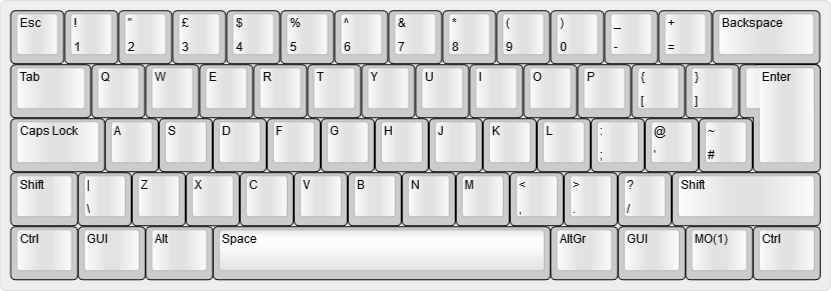
|
||||
|
||||
### Function Layer
|
||||
|
||||
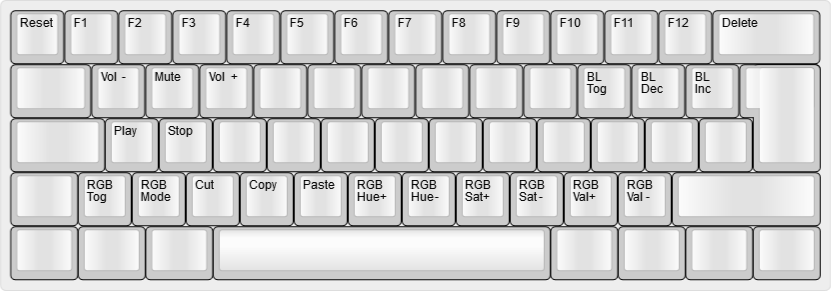
|
||||
|
||||
## Build
|
||||
To build the default keymap, simply run `make xd60:iso`.
|
||||
|
||||
To build the default keymap, simply run:
|
||||
|
||||
make xd60/rev2:iso # XD60 rev2
|
||||
make xd60/rev3:iso # XD60 rev3
|
||||
|
||||
@@ -1,21 +1,16 @@
|
||||
XD60
|
||||
==
|
||||
# XD60
|
||||
|
||||
Compact 60% with arrows.
|
||||
|
||||

|
||||
|
||||
Keyboard Maintainer: QMK Community
|
||||
Hardware Supported: XD60 PCB rev2 & rev3
|
||||
Hardware Availability: https://www.massdrop.com/buy/xd60-xd64-custom-mechanical-keyboard-kit?mode=guest_open
|
||||
* Keyboard Maintainer: QMK Community
|
||||
* Hardware Supported: XD60 PCB rev2 & rev3
|
||||
* Hardware Availability: [Drop.com](https://www.drop.com/buy/xd60-xd64-custom-mechanical-keyboard-kit?mode=guest_open), [KPRepublic on AliExpress](https://www.aliexpress.com/item/32814945677.html)
|
||||
|
||||
With the implementation of Rev3 you need to specify the Rev you want to build.
|
||||
To build for a Rev2 with a default keymap:
|
||||
Make example for this keyboard (after setting up your build environment):
|
||||
|
||||
```make xd60/rev2:default```
|
||||
|
||||
To build for a Rev3 with a default keymap:
|
||||
|
||||
```make xd60/rev3:default```
|
||||
make xd60/rev2:default # rev2
|
||||
make xd60/rev3:default # rev3
|
||||
|
||||
See the [build environment setup](https://docs.qmk.fm/#/getting_started_build_tools) and the [make instructions](https://docs.qmk.fm/#/getting_started_make_guide) for more information. Brand new to QMK? Start with our [Complete Newbs Guide](https://docs.qmk.fm/#/newbs).
|
||||
|
||||
@@ -15,8 +15,7 @@ You should have received a copy of the GNU General Public License
|
||||
along with this program. If not, see <http://www.gnu.org/licenses/>.
|
||||
*/
|
||||
|
||||
#ifndef CONFIG_H
|
||||
#define CONFIG_H
|
||||
#pragma once
|
||||
|
||||
#include "config_common.h"
|
||||
|
||||
@@ -70,5 +69,3 @@ along with this program. If not, see <http://www.gnu.org/licenses/>.
|
||||
#define LOCKING_SUPPORT_ENABLE
|
||||
/* Locking resynchronize hack */
|
||||
#define LOCKING_RESYNC_ENABLE
|
||||
|
||||
#endif
|
||||
|
||||
@@ -26,4 +26,4 @@ BLUETOOTH_ENABLE = no # Enable Bluetooth with the Adafruit EZ-Key HID
|
||||
RGBLIGHT_ENABLE = yes # Enable WS2812 RGB underlight.
|
||||
SLEEP_LED_ENABLE = no # Breathing sleep LED during USB suspend
|
||||
|
||||
LAYOUTS = 60_ansi
|
||||
LAYOUTS = 60_ansi 60_iso
|
||||
|
||||
@@ -26,4 +26,4 @@ BLUETOOTH_ENABLE = no # Enable Bluetooth with the Adafruit EZ-Key HID
|
||||
RGBLIGHT_ENABLE = yes # Enable WS2812 RGB underlight.
|
||||
SLEEP_LED_ENABLE = no # Breathing sleep LED during USB suspend
|
||||
|
||||
LAYOUTS = 60_ansi
|
||||
LAYOUTS = 60_ansi 60_iso
|
||||
|
||||
@@ -1,8 +1,6 @@
|
||||
#ifndef XD60_H
|
||||
#define XD60_H
|
||||
#pragma once
|
||||
|
||||
#include "quantum.h"
|
||||
#include "led.h"
|
||||
|
||||
/* XD60 LEDs
|
||||
* GPIO pads
|
||||
@@ -48,4 +46,16 @@ inline void xd60_bl_led_off(void) { DDRF &= ~(1<<5); PORTF &= ~(1<<5); }
|
||||
{ K40, K41, K42, KC_NO, KC_NO, K45, KC_NO, KC_NO, KC_NO, KC_NO, K4A, K4B, K4C, K4D } \
|
||||
}
|
||||
|
||||
#endif
|
||||
#define LAYOUT_60_iso( \
|
||||
K00, K01, K02, K03, K04, K05, K06, K07, K08, K09, K0A, K0B, K0C, K0D, \
|
||||
K10, K11, K12, K13, K14, K15, K16, K17, K18, K19, K1A, K1B, K1C, \
|
||||
K20, K21, K22, K23, K24, K25, K26, K27, K28, K29, K2A, K2B, K2C, K2D, \
|
||||
K30, K31, K32, K33, K34, K35, K36, K37, K38, K39, K3A, K3B, K3D, \
|
||||
K40, K41, K42, K45, K4A, K4B, K4C, K4D \
|
||||
) { \
|
||||
{ K00, K01, K02, K03, K04, K05, K06, K07, K08, K09, K0A, K0B, K0C, K0D }, \
|
||||
{ K10, K11, K12, K13, K14, K15, K16, K17, K18, K19, K1A, K1B, K1C, KC_NO }, \
|
||||
{ K20, K21, K22, K23, K24, K25, K26, K27, K28, K29, K2A, K2B, K2C, K2D }, \
|
||||
{ K30, K31, K32, K33, K34, K35, K36, K37, K38, K39, K3A, K3B, KC_NO, K3D }, \
|
||||
{ K40, K41, K42, KC_NO, KC_NO, K45, KC_NO, KC_NO, KC_NO, KC_NO, K4A, K4B, K4C, K4D } \
|
||||
}
|
||||
|
||||
@@ -15,8 +15,10 @@
|
||||
*/
|
||||
|
||||
/* Author: Wojciech Siewierski < wojciech dot siewierski at onet dot pl > */
|
||||
#ifndef DYNAMIC_MACROS_H
|
||||
#define DYNAMIC_MACROS_H
|
||||
#pragma once
|
||||
|
||||
/* Warn users that this is now deprecated and they should use the core feature instead. */
|
||||
#pragma message "Dynamic Macros is now a core feature. See updated documentation to see how to configure it: https://docs.qmk.fm/#/feature_dynamic_macros"
|
||||
|
||||
#include "action_layer.h"
|
||||
|
||||
@@ -33,18 +35,6 @@
|
||||
# define DYNAMIC_MACRO_SIZE 128
|
||||
#endif
|
||||
|
||||
/* DYNAMIC_MACRO_RANGE must be set as the last element of user's
|
||||
* "planck_keycodes" enum prior to including this header. This allows
|
||||
* us to 'extend' it.
|
||||
*/
|
||||
enum dynamic_macro_keycodes {
|
||||
DYN_REC_START1 = DYNAMIC_MACRO_RANGE,
|
||||
DYN_REC_START2,
|
||||
DYN_REC_STOP,
|
||||
DYN_MACRO_PLAY1,
|
||||
DYN_MACRO_PLAY2,
|
||||
};
|
||||
|
||||
/* Blink the LEDs to notify the user about some event. */
|
||||
void dynamic_macro_led_blink(void) {
|
||||
#ifdef BACKLIGHT_ENABLE
|
||||
@@ -272,5 +262,3 @@ bool process_record_dynamic_macro(uint16_t keycode, keyrecord_t *record) {
|
||||
#undef DYNAMIC_MACRO_CURRENT_SLOT
|
||||
#undef DYNAMIC_MACRO_CURRENT_LENGTH
|
||||
#undef DYNAMIC_MACRO_CURRENT_CAPACITY
|
||||
|
||||
#endif
|
||||
|
||||
257
quantum/process_keycode/process_dynamic_macro.c
Normal file
257
quantum/process_keycode/process_dynamic_macro.c
Normal file
@@ -0,0 +1,257 @@
|
||||
/* Copyright 2016 Jack Humbert
|
||||
* Copyright 2019 Drashna Jael're (@drashna, aka Christopher Courtney)
|
||||
*
|
||||
* This program is free software: you can redistribute it and/or modify
|
||||
* it under the terms of the GNU General Public License as published by
|
||||
* the Free Software Foundation, either version 2 of the License, or
|
||||
* (at your option) any later version.
|
||||
*
|
||||
* This program is distributed in the hope that it will be useful,
|
||||
* but WITHOUT ANY WARRANTY; without even the implied warranty of
|
||||
* MERCHANTABILITY or FITNESS FOR A PARTICULAR PURPOSE. See the
|
||||
* GNU General Public License for more details.
|
||||
*
|
||||
* You should have received a copy of the GNU General Public License
|
||||
* along with this program. If not, see <http://www.gnu.org/licenses/>.
|
||||
*/
|
||||
|
||||
/* Author: Wojciech Siewierski < wojciech dot siewierski at onet dot pl > */
|
||||
#include "process_dynamic_macro.h"
|
||||
|
||||
// default feedback method
|
||||
void dynamic_macro_led_blink(void) {
|
||||
#ifdef BACKLIGHT_ENABLE
|
||||
backlight_toggle();
|
||||
wait_ms(100);
|
||||
backlight_toggle();
|
||||
#endif
|
||||
}
|
||||
|
||||
/* User hooks for Dynamic Macros */
|
||||
|
||||
__attribute__((weak)) void dynamic_macro_record_start_user(void) { dynamic_macro_led_blink(); }
|
||||
|
||||
__attribute__((weak)) void dynamic_macro_play_user(int8_t direction) { dynamic_macro_led_blink(); }
|
||||
|
||||
__attribute__((weak)) void dynamic_macro_record_key_user(int8_t direction, keyrecord_t *record) { dynamic_macro_led_blink(); }
|
||||
|
||||
__attribute__((weak)) void dynamic_macro_record_end_user(int8_t direction) { dynamic_macro_led_blink(); }
|
||||
|
||||
/* Convenience macros used for retrieving the debug info. All of them
|
||||
* need a `direction` variable accessible at the call site.
|
||||
*/
|
||||
#define DYNAMIC_MACRO_CURRENT_SLOT() (direction > 0 ? 1 : 2)
|
||||
#define DYNAMIC_MACRO_CURRENT_LENGTH(BEGIN, POINTER) ((int)(direction * ((POINTER) - (BEGIN))))
|
||||
#define DYNAMIC_MACRO_CURRENT_CAPACITY(BEGIN, END2) ((int)(direction * ((END2) - (BEGIN)) + 1))
|
||||
|
||||
/**
|
||||
* Start recording of the dynamic macro.
|
||||
*
|
||||
* @param[out] macro_pointer The new macro buffer iterator.
|
||||
* @param[in] macro_buffer The macro buffer used to initialize macro_pointer.
|
||||
*/
|
||||
void dynamic_macro_record_start(keyrecord_t **macro_pointer, keyrecord_t *macro_buffer) {
|
||||
dprintln("dynamic macro recording: started");
|
||||
|
||||
dynamic_macro_record_start_user();
|
||||
|
||||
clear_keyboard();
|
||||
layer_clear();
|
||||
*macro_pointer = macro_buffer;
|
||||
}
|
||||
|
||||
/**
|
||||
* Play the dynamic macro.
|
||||
*
|
||||
* @param macro_buffer[in] The beginning of the macro buffer being played.
|
||||
* @param macro_end[in] The element after the last macro buffer element.
|
||||
* @param direction[in] Either +1 or -1, which way to iterate the buffer.
|
||||
*/
|
||||
void dynamic_macro_play(keyrecord_t *macro_buffer, keyrecord_t *macro_end, int8_t direction) {
|
||||
dprintf("dynamic macro: slot %d playback\n", DYNAMIC_MACRO_CURRENT_SLOT());
|
||||
|
||||
layer_state_t saved_layer_state = layer_state;
|
||||
|
||||
clear_keyboard();
|
||||
layer_clear();
|
||||
|
||||
while (macro_buffer != macro_end) {
|
||||
process_record(macro_buffer);
|
||||
macro_buffer += direction;
|
||||
}
|
||||
|
||||
clear_keyboard();
|
||||
|
||||
layer_state = saved_layer_state;
|
||||
|
||||
dynamic_macro_play_user(direction);
|
||||
}
|
||||
|
||||
/**
|
||||
* Record a single key in a dynamic macro.
|
||||
*
|
||||
* @param macro_buffer[in] The start of the used macro buffer.
|
||||
* @param macro_pointer[in,out] The current buffer position.
|
||||
* @param macro2_end[in] The end of the other macro.
|
||||
* @param direction[in] Either +1 or -1, which way to iterate the buffer.
|
||||
* @param record[in] The current keypress.
|
||||
*/
|
||||
void dynamic_macro_record_key(keyrecord_t *macro_buffer, keyrecord_t **macro_pointer, keyrecord_t *macro2_end, int8_t direction, keyrecord_t *record) {
|
||||
/* If we've just started recording, ignore all the key releases. */
|
||||
if (!record->event.pressed && *macro_pointer == macro_buffer) {
|
||||
dprintln("dynamic macro: ignoring a leading key-up event");
|
||||
return;
|
||||
}
|
||||
|
||||
/* The other end of the other macro is the last buffer element it
|
||||
* is safe to use before overwriting the other macro.
|
||||
*/
|
||||
if (*macro_pointer - direction != macro2_end) {
|
||||
**macro_pointer = *record;
|
||||
*macro_pointer += direction;
|
||||
} else {
|
||||
dynamic_macro_record_key_user(direction, record);
|
||||
}
|
||||
|
||||
dprintf("dynamic macro: slot %d length: %d/%d\n", DYNAMIC_MACRO_CURRENT_SLOT(), DYNAMIC_MACRO_CURRENT_LENGTH(macro_buffer, *macro_pointer), DYNAMIC_MACRO_CURRENT_CAPACITY(macro_buffer, macro2_end));
|
||||
}
|
||||
|
||||
/**
|
||||
* End recording of the dynamic macro. Essentially just update the
|
||||
* pointer to the end of the macro.
|
||||
*/
|
||||
void dynamic_macro_record_end(keyrecord_t *macro_buffer, keyrecord_t *macro_pointer, int8_t direction, keyrecord_t **macro_end) {
|
||||
dynamic_macro_record_end_user(direction);
|
||||
|
||||
/* Do not save the keys being held when stopping the recording,
|
||||
* i.e. the keys used to access the layer DYN_REC_STOP is on.
|
||||
*/
|
||||
while (macro_pointer != macro_buffer && (macro_pointer - direction)->event.pressed) {
|
||||
dprintln("dynamic macro: trimming a trailing key-down event");
|
||||
macro_pointer -= direction;
|
||||
}
|
||||
|
||||
dprintf("dynamic macro: slot %d saved, length: %d\n", DYNAMIC_MACRO_CURRENT_SLOT(), DYNAMIC_MACRO_CURRENT_LENGTH(macro_buffer, macro_pointer));
|
||||
|
||||
*macro_end = macro_pointer;
|
||||
}
|
||||
|
||||
/* Handle the key events related to the dynamic macros. Should be
|
||||
* called from process_record_user() like this:
|
||||
*
|
||||
* bool process_record_user(uint16_t keycode, keyrecord_t *record) {
|
||||
* if (!process_record_dynamic_macro(keycode, record)) {
|
||||
* return false;
|
||||
* }
|
||||
* <...THE REST OF THE FUNCTION...>
|
||||
* }
|
||||
*/
|
||||
bool process_dynamic_macro(uint16_t keycode, keyrecord_t *record) {
|
||||
/* Both macros use the same buffer but read/write on different
|
||||
* ends of it.
|
||||
*
|
||||
* Macro1 is written left-to-right starting from the beginning of
|
||||
* the buffer.
|
||||
*
|
||||
* Macro2 is written right-to-left starting from the end of the
|
||||
* buffer.
|
||||
*
|
||||
* ¯o_buffer macro_end
|
||||
* v v
|
||||
* +------------------------------------------------------------+
|
||||
* |>>>>>> MACRO1 >>>>>> <<<<<<<<<<<<< MACRO2 <<<<<<<<<<<<<|
|
||||
* +------------------------------------------------------------+
|
||||
* ^ ^
|
||||
* r_macro_end r_macro_buffer
|
||||
*
|
||||
* During the recording when one macro encounters the end of the
|
||||
* other macro, the recording is stopped. Apart from this, there
|
||||
* are no arbitrary limits for the macros' length in relation to
|
||||
* each other: for example one can either have two medium sized
|
||||
* macros or one long macro and one short macro. Or even one empty
|
||||
* and one using the whole buffer.
|
||||
*/
|
||||
static keyrecord_t macro_buffer[DYNAMIC_MACRO_SIZE];
|
||||
|
||||
/* Pointer to the first buffer element after the first macro.
|
||||
* Initially points to the very beginning of the buffer since the
|
||||
* macro is empty. */
|
||||
static keyrecord_t *macro_end = macro_buffer;
|
||||
|
||||
/* The other end of the macro buffer. Serves as the beginning of
|
||||
* the second macro. */
|
||||
static keyrecord_t *const r_macro_buffer = macro_buffer + DYNAMIC_MACRO_SIZE - 1;
|
||||
|
||||
/* Like macro_end but for the second macro. */
|
||||
static keyrecord_t *r_macro_end = r_macro_buffer;
|
||||
|
||||
/* A persistent pointer to the current macro position (iterator)
|
||||
* used during the recording. */
|
||||
static keyrecord_t *macro_pointer = NULL;
|
||||
|
||||
/* 0 - no macro is being recorded right now
|
||||
* 1,2 - either macro 1 or 2 is being recorded */
|
||||
static uint8_t macro_id = 0;
|
||||
|
||||
if (macro_id == 0) {
|
||||
/* No macro recording in progress. */
|
||||
if (!record->event.pressed) {
|
||||
switch (keycode) {
|
||||
case DYN_REC_START1:
|
||||
dynamic_macro_record_start(¯o_pointer, macro_buffer);
|
||||
macro_id = 1;
|
||||
return false;
|
||||
case DYN_REC_START2:
|
||||
dynamic_macro_record_start(¯o_pointer, r_macro_buffer);
|
||||
macro_id = 2;
|
||||
return false;
|
||||
case DYN_MACRO_PLAY1:
|
||||
dynamic_macro_play(macro_buffer, macro_end, +1);
|
||||
return false;
|
||||
case DYN_MACRO_PLAY2:
|
||||
dynamic_macro_play(r_macro_buffer, r_macro_end, -1);
|
||||
return false;
|
||||
}
|
||||
}
|
||||
} else {
|
||||
/* A macro is being recorded right now. */
|
||||
switch (keycode) {
|
||||
case DYN_REC_STOP:
|
||||
/* Stop the macro recording. */
|
||||
if (record->event.pressed) { /* Ignore the initial release
|
||||
* just after the recoding
|
||||
* starts. */
|
||||
switch (macro_id) {
|
||||
case 1:
|
||||
dynamic_macro_record_end(macro_buffer, macro_pointer, +1, ¯o_end);
|
||||
break;
|
||||
case 2:
|
||||
dynamic_macro_record_end(r_macro_buffer, macro_pointer, -1, &r_macro_end);
|
||||
break;
|
||||
}
|
||||
macro_id = 0;
|
||||
}
|
||||
return false;
|
||||
#ifdef DYNAMIC_MACRO_NO_NESTING
|
||||
case DYN_MACRO_PLAY1:
|
||||
case DYN_MACRO_PLAY2:
|
||||
dprintln("dynamic macro: ignoring macro play key while recording");
|
||||
return false;
|
||||
#endif
|
||||
default:
|
||||
/* Store the key in the macro buffer and process it normally. */
|
||||
switch (macro_id) {
|
||||
case 1:
|
||||
dynamic_macro_record_key(macro_buffer, ¯o_pointer, r_macro_end, +1, record);
|
||||
break;
|
||||
case 2:
|
||||
dynamic_macro_record_key(r_macro_buffer, ¯o_pointer, macro_end, -1, record);
|
||||
break;
|
||||
}
|
||||
return true;
|
||||
break;
|
||||
}
|
||||
}
|
||||
|
||||
return true;
|
||||
}
|
||||
41
quantum/process_keycode/process_dynamic_macro.h
Normal file
41
quantum/process_keycode/process_dynamic_macro.h
Normal file
@@ -0,0 +1,41 @@
|
||||
/* Copyright 2016 Jack Humbert
|
||||
* Copyright 2019 Drashna Jael're (@drashna, aka Christopher Courtney)
|
||||
*
|
||||
* This program is free software: you can redistribute it and/or modify
|
||||
* it under the terms of the GNU General Public License as published by
|
||||
* the Free Software Foundation, either version 2 of the License, or
|
||||
* (at your option) any later version.
|
||||
*
|
||||
* This program is distributed in the hope that it will be useful,
|
||||
* but WITHOUT ANY WARRANTY; without even the implied warranty of
|
||||
* MERCHANTABILITY or FITNESS FOR A PARTICULAR PURPOSE. See the
|
||||
* GNU General Public License for more details.
|
||||
*
|
||||
* You should have received a copy of the GNU General Public License
|
||||
* along with this program. If not, see <http://www.gnu.org/licenses/>.
|
||||
*/
|
||||
|
||||
/* Author: Wojciech Siewierski < wojciech dot siewierski at onet dot pl > */
|
||||
#pragma once
|
||||
|
||||
#include "quantum.h"
|
||||
|
||||
/* May be overridden with a custom value. Be aware that the effective
|
||||
* macro length is half of this value: each keypress is recorded twice
|
||||
* because of the down-event and up-event. This is not a bug, it's the
|
||||
* intended behavior.
|
||||
*
|
||||
* Usually it should be fine to set the macro size to at least 256 but
|
||||
* there have been reports of it being too much in some users' cases,
|
||||
* so 128 is considered a safe default.
|
||||
*/
|
||||
#ifndef DYNAMIC_MACRO_SIZE
|
||||
# define DYNAMIC_MACRO_SIZE 128
|
||||
#endif
|
||||
|
||||
void dynamic_macro_led_blink(void);
|
||||
bool process_dynamic_macro(uint16_t keycode, keyrecord_t *record);
|
||||
void dynamic_macro_record_start_user(void);
|
||||
void dynamic_macro_play_user(int8_t direction);
|
||||
void dynamic_macro_record_key_user(int8_t direction, keyrecord_t *record);
|
||||
void dynamic_macro_record_end_user(int8_t direction);
|
||||
@@ -26,7 +26,7 @@
|
||||
|
||||
#ifdef BACKLIGHT_ENABLE
|
||||
# include "backlight.h"
|
||||
extern backlight_config_t backlight_config;
|
||||
extern backlight_config_t backlight_config;
|
||||
#endif
|
||||
|
||||
#ifdef FAUXCLICKY_ENABLE
|
||||
@@ -89,7 +89,7 @@ static void do_code16(uint16_t code, void (*f)(uint8_t)) {
|
||||
|
||||
uint8_t mods_to_send = 0;
|
||||
|
||||
if (code & QK_RMODS_MIN) { // Right mod flag is set
|
||||
if (code & QK_RMODS_MIN) { // Right mod flag is set
|
||||
if (code & QK_LCTL) mods_to_send |= MOD_BIT(KC_RCTL);
|
||||
if (code & QK_LSFT) mods_to_send |= MOD_BIT(KC_RSFT);
|
||||
if (code & QK_LALT) mods_to_send |= MOD_BIT(KC_RALT);
|
||||
@@ -222,6 +222,10 @@ bool process_record_quantum(keyrecord_t *record) {
|
||||
// Must run first to be able to mask key_up events.
|
||||
process_key_lock(&keycode, record) &&
|
||||
#endif
|
||||
#if defined(DYNAMIC_MACRO_ENABLE) && !defined(DYNAMIC_MACRO_USER_CALL)
|
||||
// Must run asap to ensure all keypresses are recorded.
|
||||
process_dynamic_macro(keycode, record) &&
|
||||
#endif
|
||||
#if defined(AUDIO_ENABLE) && defined(AUDIO_CLICKY)
|
||||
process_clicky(keycode, record) &&
|
||||
#endif // AUDIO_CLICKY
|
||||
@@ -563,7 +567,7 @@ bool process_record_quantum(keyrecord_t *record) {
|
||||
keymap_config.swap_backslash_backspace = true;
|
||||
break;
|
||||
case MAGIC_HOST_NKRO:
|
||||
clear_keyboard(); // clear first buffer to prevent stuck keys
|
||||
clear_keyboard(); // clear first buffer to prevent stuck keys
|
||||
keymap_config.nkro = true;
|
||||
break;
|
||||
case MAGIC_SWAP_ALT_GUI:
|
||||
@@ -606,7 +610,7 @@ bool process_record_quantum(keyrecord_t *record) {
|
||||
keymap_config.swap_backslash_backspace = false;
|
||||
break;
|
||||
case MAGIC_UNHOST_NKRO:
|
||||
clear_keyboard(); // clear first buffer to prevent stuck keys
|
||||
clear_keyboard(); // clear first buffer to prevent stuck keys
|
||||
keymap_config.nkro = false;
|
||||
break;
|
||||
case MAGIC_UNSWAP_ALT_GUI:
|
||||
@@ -644,7 +648,7 @@ bool process_record_quantum(keyrecord_t *record) {
|
||||
#endif
|
||||
break;
|
||||
case MAGIC_TOGGLE_NKRO:
|
||||
clear_keyboard(); // clear first buffer to prevent stuck keys
|
||||
clear_keyboard(); // clear first buffer to prevent stuck keys
|
||||
keymap_config.nkro = !keymap_config.nkro;
|
||||
break;
|
||||
case MAGIC_EE_HANDS_LEFT:
|
||||
@@ -1066,10 +1070,30 @@ void api_send_unicode(uint32_t unicode) {
|
||||
#endif
|
||||
}
|
||||
|
||||
/** \brief Lock LED set callback - keymap/user level
|
||||
*
|
||||
* \deprecated Use led_update_user() instead.
|
||||
*/
|
||||
__attribute__((weak)) void led_set_user(uint8_t usb_led) {}
|
||||
|
||||
/** \brief Lock LED set callback - keyboard level
|
||||
*
|
||||
* \deprecated Use led_update_kb() instead.
|
||||
*/
|
||||
__attribute__((weak)) void led_set_kb(uint8_t usb_led) { led_set_user(usb_led); }
|
||||
|
||||
/** \brief Lock LED update callback - keymap/user level
|
||||
*
|
||||
* \return True if led_update_kb() should run its own code, false otherwise.
|
||||
*/
|
||||
__attribute__((weak)) bool led_update_user(led_t led_state) { return true; }
|
||||
|
||||
/** \brief Lock LED update callback - keyboard level
|
||||
*
|
||||
* \return Ignored for now.
|
||||
*/
|
||||
__attribute__((weak)) bool led_update_kb(led_t led_state) { return led_update_user(led_state); }
|
||||
|
||||
__attribute__((weak)) void led_init_ports(void) {}
|
||||
|
||||
__attribute__((weak)) void led_set(uint8_t usb_led) {
|
||||
@@ -1092,6 +1116,7 @@ __attribute__((weak)) void led_set(uint8_t usb_led) {
|
||||
#endif
|
||||
|
||||
led_set_kb(usb_led);
|
||||
led_update_kb((led_t) usb_led);
|
||||
}
|
||||
|
||||
//------------------------------------------------------------------------------
|
||||
|
||||
@@ -149,6 +149,10 @@ extern layer_state_t layer_state;
|
||||
#include "dip_switch.h"
|
||||
#endif
|
||||
|
||||
#ifdef DYNAMIC_MACRO_ENABLE
|
||||
#include "process_dynamic_macro.h"
|
||||
#endif
|
||||
|
||||
|
||||
// Function substitutions to ease GPIO manipulation
|
||||
#if defined(__AVR__)
|
||||
@@ -285,5 +289,7 @@ uint16_t hex_to_keycode(uint8_t hex);
|
||||
|
||||
void led_set_user(uint8_t usb_led);
|
||||
void led_set_kb(uint8_t usb_led);
|
||||
bool led_update_user(led_t led_state);
|
||||
bool led_update_kb(led_t led_state);
|
||||
|
||||
void api_send_unicode(uint32_t unicode);
|
||||
|
||||
@@ -505,6 +505,13 @@ enum quantum_keycodes {
|
||||
MAGIC_EE_HANDS_LEFT,
|
||||
MAGIC_EE_HANDS_RIGHT,
|
||||
|
||||
// Dynamic Macros
|
||||
DYN_REC_START1,
|
||||
DYN_REC_START2,
|
||||
DYN_REC_STOP,
|
||||
DYN_MACRO_PLAY1,
|
||||
DYN_MACRO_PLAY2,
|
||||
|
||||
// always leave at the end
|
||||
SAFE_RANGE
|
||||
};
|
||||
@@ -757,4 +764,11 @@ enum quantum_keycodes {
|
||||
# define SH_OFF (QK_SWAP_HANDS | OP_SH_OFF)
|
||||
#endif
|
||||
|
||||
#endif // QUANTUM_KEYCODES_H
|
||||
// Dynamic Macros aliases
|
||||
#define DM_REC1 DYN_REC_START1
|
||||
#define DM_REC2 DYN_REC_START2
|
||||
#define DM_RSTP DYN_REC_STOP
|
||||
#define DM_PLY1 DYN_MACRO_PLAY1
|
||||
#define DM_PLY2 DYN_MACRO_PLAY2
|
||||
|
||||
#endif // QUANTUM_KEYCODES_H
|
||||
|
||||
@@ -42,9 +42,9 @@ bool process_record_kb(uint16_t keycode, keyrecord_t *record) {
|
||||
return process_record_user(keycode, record);
|
||||
}
|
||||
|
||||
void led_set_kb(uint8_t usb_led) {
|
||||
bool led_update_kb(led_t led_state) {
|
||||
// put your keyboard LED indicator (ex: Caps Lock LED) toggling code here
|
||||
|
||||
led_set_user(usb_led);
|
||||
return led_update_user(led_state);
|
||||
}
|
||||
*/
|
||||
|
||||
@@ -70,7 +70,7 @@ void matrix_scan_user(void) {
|
||||
|
||||
}
|
||||
|
||||
void led_set_user(uint8_t usb_led) {
|
||||
|
||||
bool led_update_user(led_t led_state) {
|
||||
return true;
|
||||
}
|
||||
*/
|
||||
|
||||
@@ -39,6 +39,12 @@ uint8_t host_keyboard_leds(void) {
|
||||
if (!driver) return 0;
|
||||
return (*driver->keyboard_leds)();
|
||||
}
|
||||
|
||||
led_t host_keyboard_led_state(void) {
|
||||
if (!driver) return (led_t) {0};
|
||||
return (led_t)((*driver->keyboard_leds)());
|
||||
}
|
||||
|
||||
/* send report */
|
||||
void host_keyboard_send(report_keyboard_t *report) {
|
||||
if (!driver) return;
|
||||
|
||||
@@ -21,6 +21,7 @@ along with this program. If not, see <http://www.gnu.org/licenses/>.
|
||||
#include <stdbool.h>
|
||||
#include "report.h"
|
||||
#include "host_driver.h"
|
||||
#include "led.h"
|
||||
|
||||
#define IS_LED_ON(leds, led_name) ((leds) & (1 << (led_name)))
|
||||
#define IS_LED_OFF(leds, led_name) (~(leds) & (1 << (led_name)))
|
||||
@@ -41,6 +42,7 @@ host_driver_t *host_get_driver(void);
|
||||
|
||||
/* host driver interface */
|
||||
uint8_t host_keyboard_leds(void);
|
||||
led_t host_keyboard_led_state(void);
|
||||
void host_keyboard_send(report_keyboard_t *report);
|
||||
void host_mouse_send(report_mouse_t *report);
|
||||
void host_system_send(uint16_t data);
|
||||
|
||||
@@ -18,6 +18,7 @@ along with this program. If not, see <http://www.gnu.org/licenses/>.
|
||||
#ifndef LED_H
|
||||
#define LED_H
|
||||
#include "stdint.h"
|
||||
#include "stdbool.h"
|
||||
|
||||
/* FIXME: Add doxygen comments here. */
|
||||
|
||||
@@ -32,6 +33,18 @@ along with this program. If not, see <http://www.gnu.org/licenses/>.
|
||||
extern "C" {
|
||||
#endif
|
||||
|
||||
typedef union {
|
||||
uint8_t raw;
|
||||
struct {
|
||||
bool num_lock : 1;
|
||||
bool caps_lock : 1;
|
||||
bool scroll_lock : 1;
|
||||
bool compose : 1;
|
||||
bool kana : 1;
|
||||
uint8_t reserved : 3;
|
||||
};
|
||||
} led_t;
|
||||
|
||||
void led_set(uint8_t usb_led);
|
||||
|
||||
void led_init_ports(void);
|
||||
|
||||
File diff suppressed because it is too large
Load Diff
Reference in New Issue
Block a user